

SHOWCASE
Overview
Fleet managers need to quickly understand why a driver was flagged, how serious the issue is, and what action should happen next. That context often lives across separate logs, safety events, routes, reports, and video, making a single driver review harder than it should be.
Drivers face a different challenge. They need to manage hours, logs, documents, and required follow-up while working from the road.
This work connected both sides of the experience. Fleet tools helped managers investigate risk and decide what to do next, while the mobile experience helped drivers understand their status, manage daily compliance, and respond when action was required.
| Role | Lead Product Designer |
| Company | Undisclosed |
| Platform | iOS / Android / Responsive Web |
| Focus | Mobile workflows, hours of service, fleet safety, coaching |
1.25k
Pilot users
35%
Faster driver risk review
74%
Coaching completion
Based on a 90-day pilot. Completion reflects approximately 150 to 300 drivers who received coaching and acknowledged it in the app.
A clearer view of driver risk
Driver review
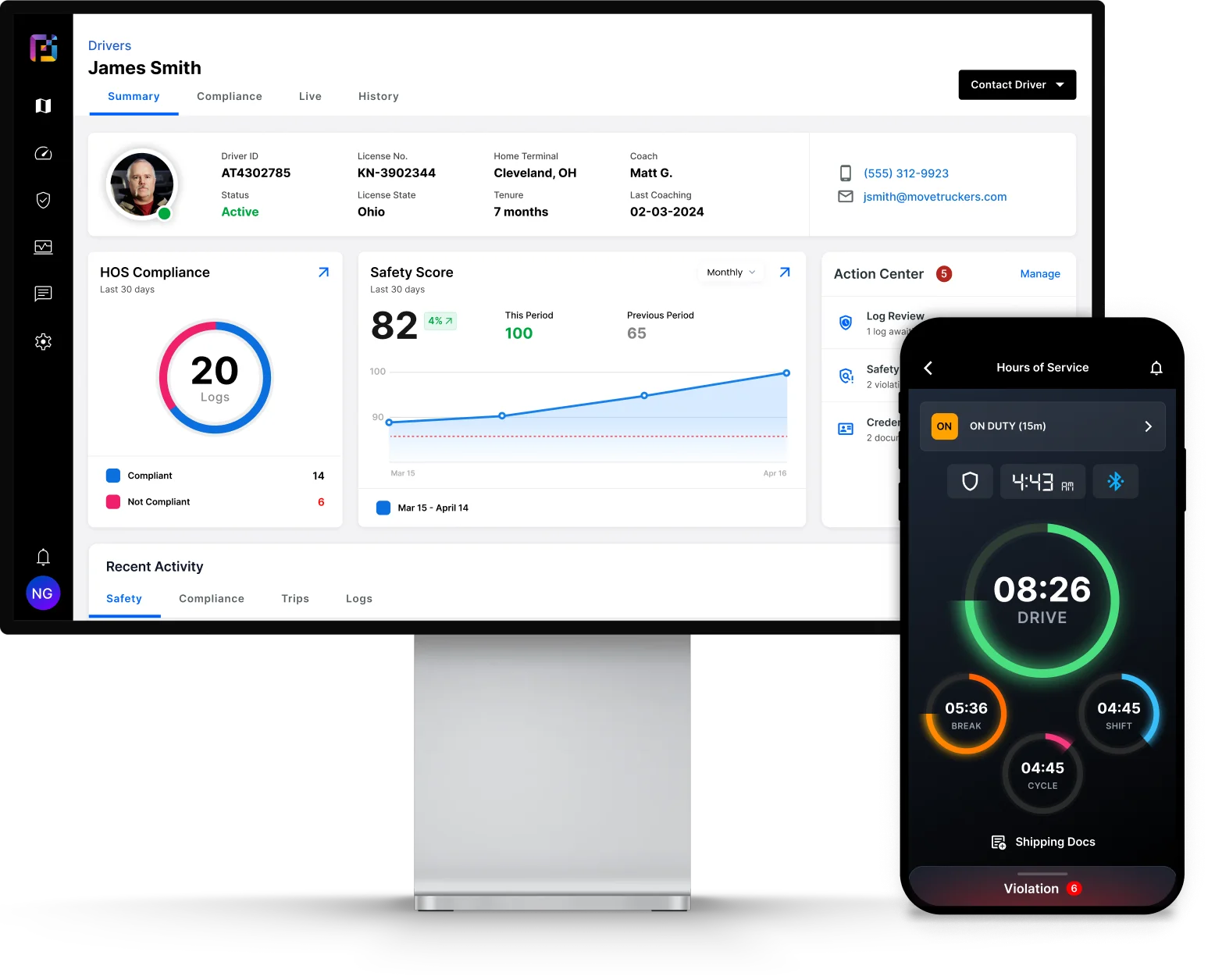
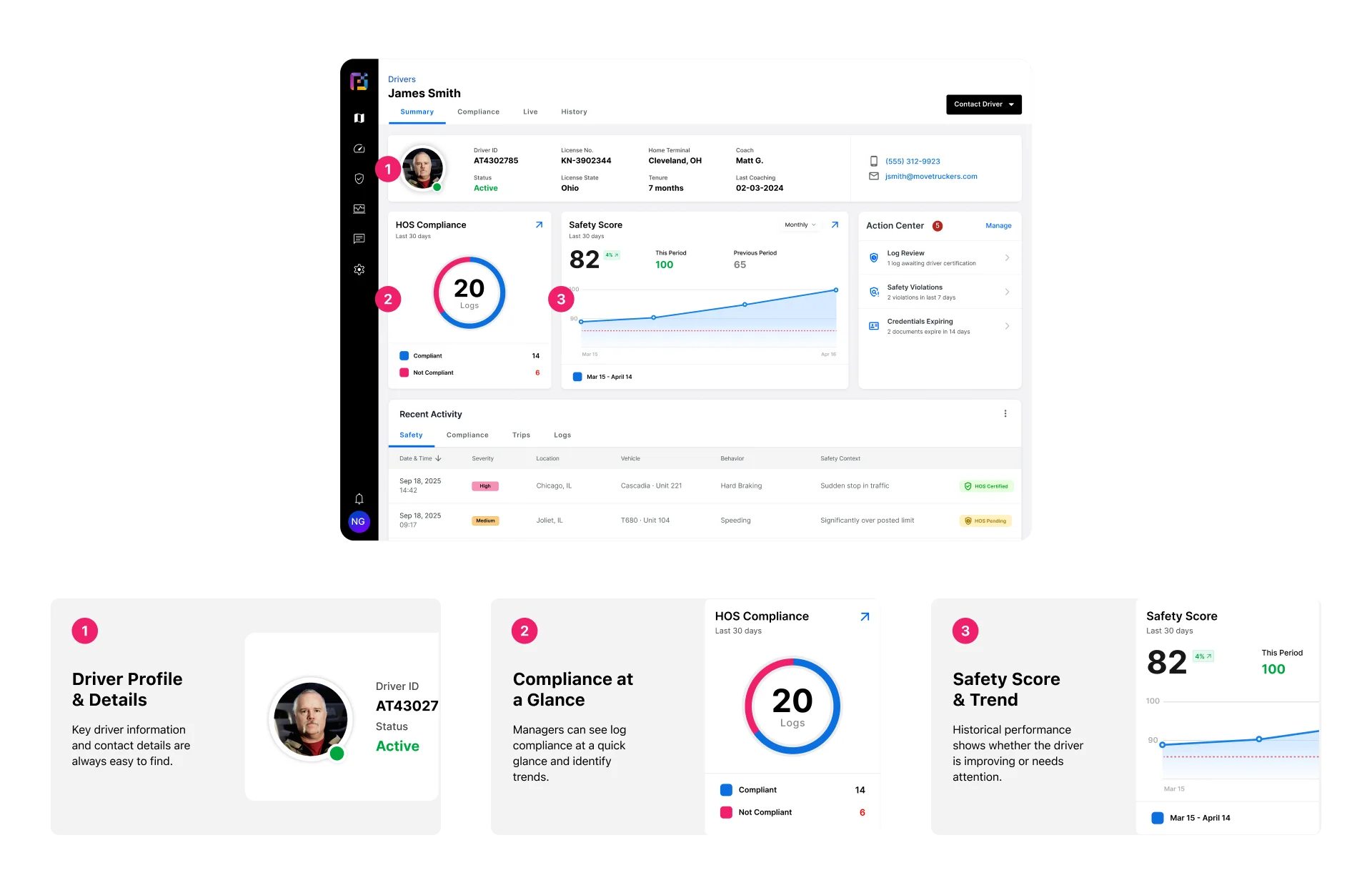
The Driver Summary gave fleet managers one place to assess a driver’s current standing across identity, HOS compliance, safety performance, recent activity, and open actions.
The Action Center surfaced what needed attention first, from log reviews and expiring credentials to safety violations and recommended coaching.
Investigating what happened
A safety score could show that attention was needed, but managers still needed evidence behind that score.
The Compliance view connected trip details, certification status, remaining hours, violations, and the driver’s complete duty-status log. This gave managers a direct way to understand when the issue occurred and how it affected the driver’s available hours.
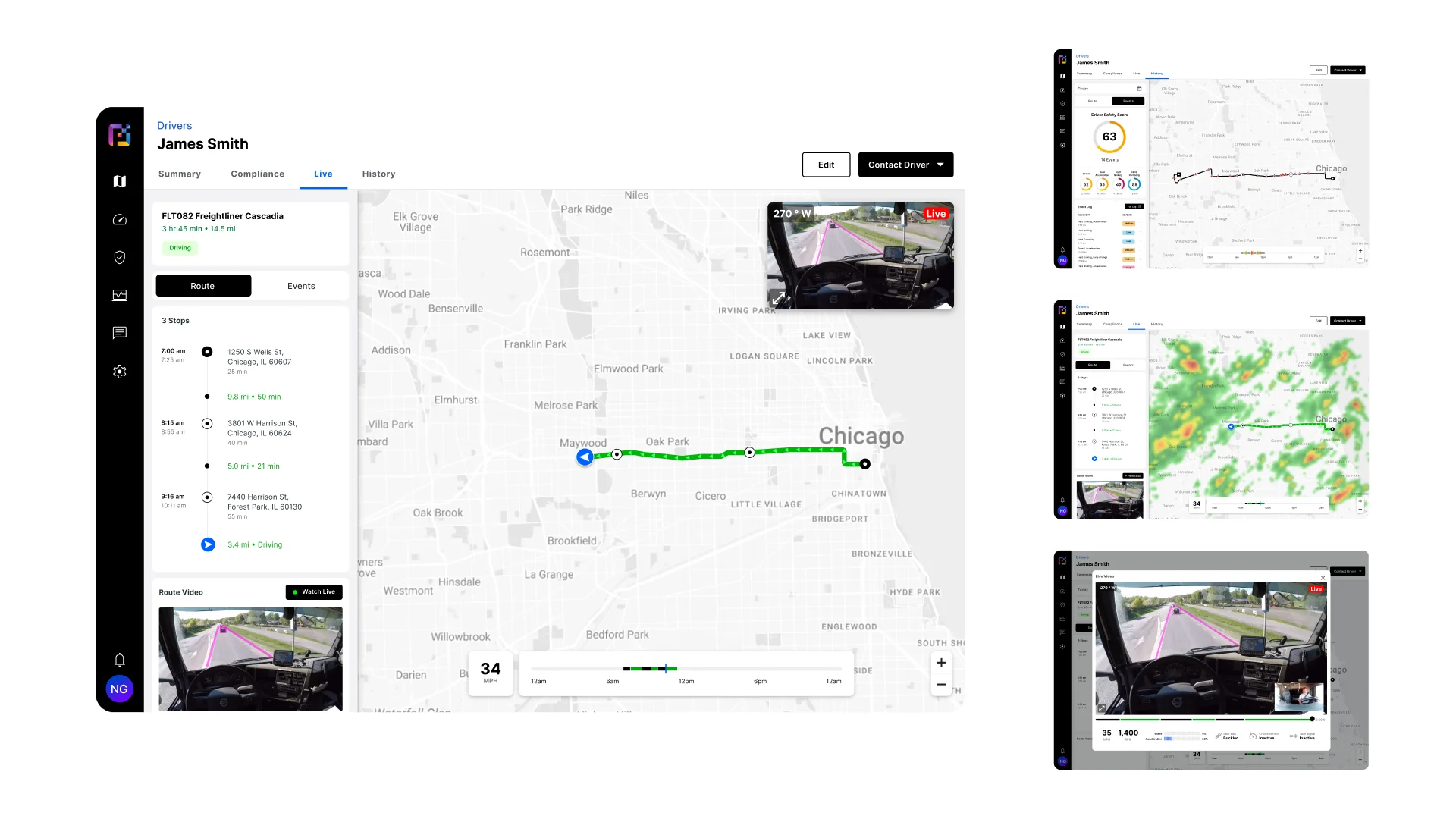
Trip history added more context. Managers could review the route, stops, and event timeline, then inspect where speeding, hard braking, hard acceleration, or hard cornering occurred.
When more evidence was required, recorded route video connected the event to vehicle telemetry such as speed, RPM, braking, acceleration, seatbelt use, and turn-signal activity.
Compliance from the road
Mobile HOS
The mobile experience supported the driver throughout the shift.
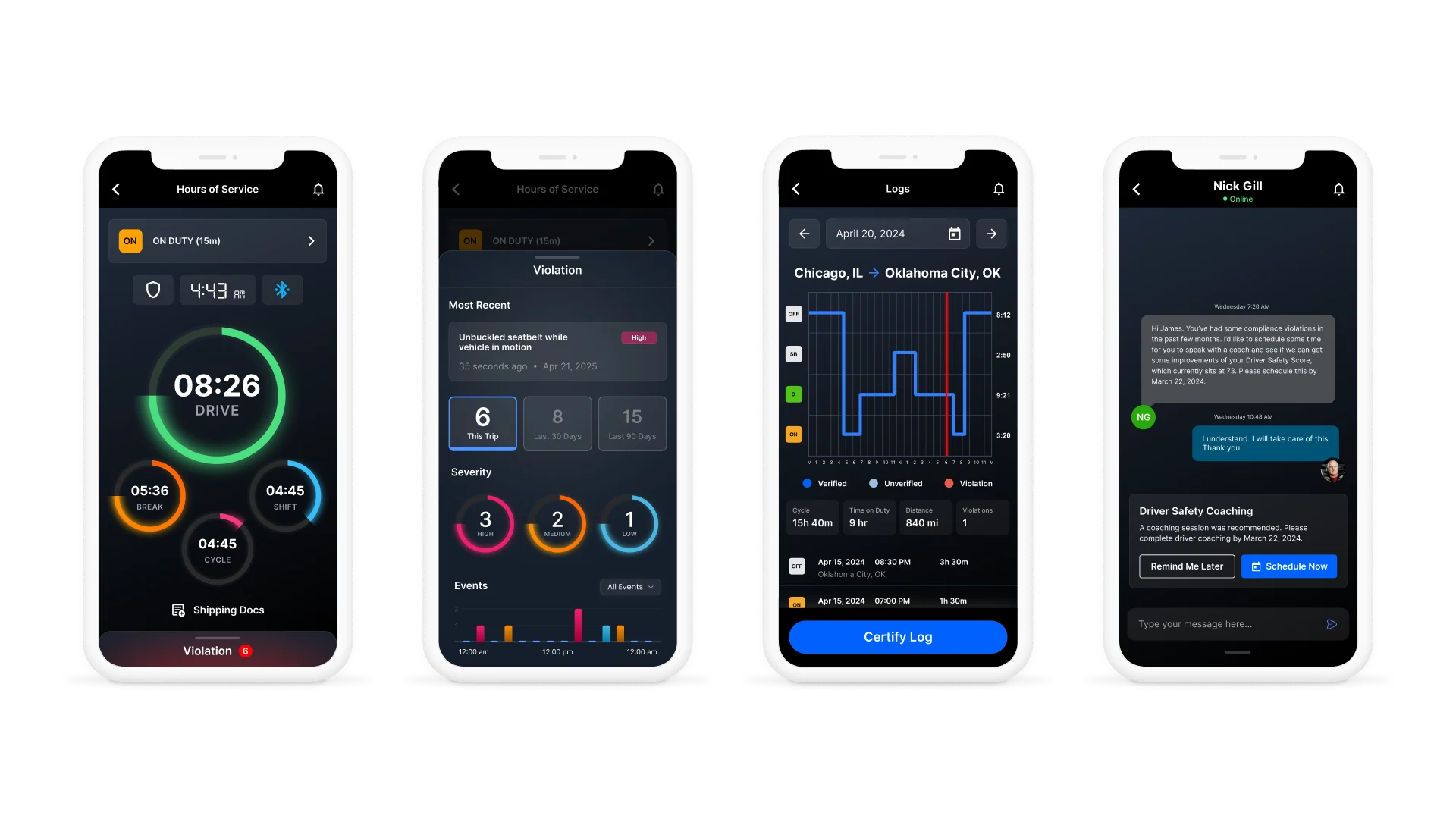
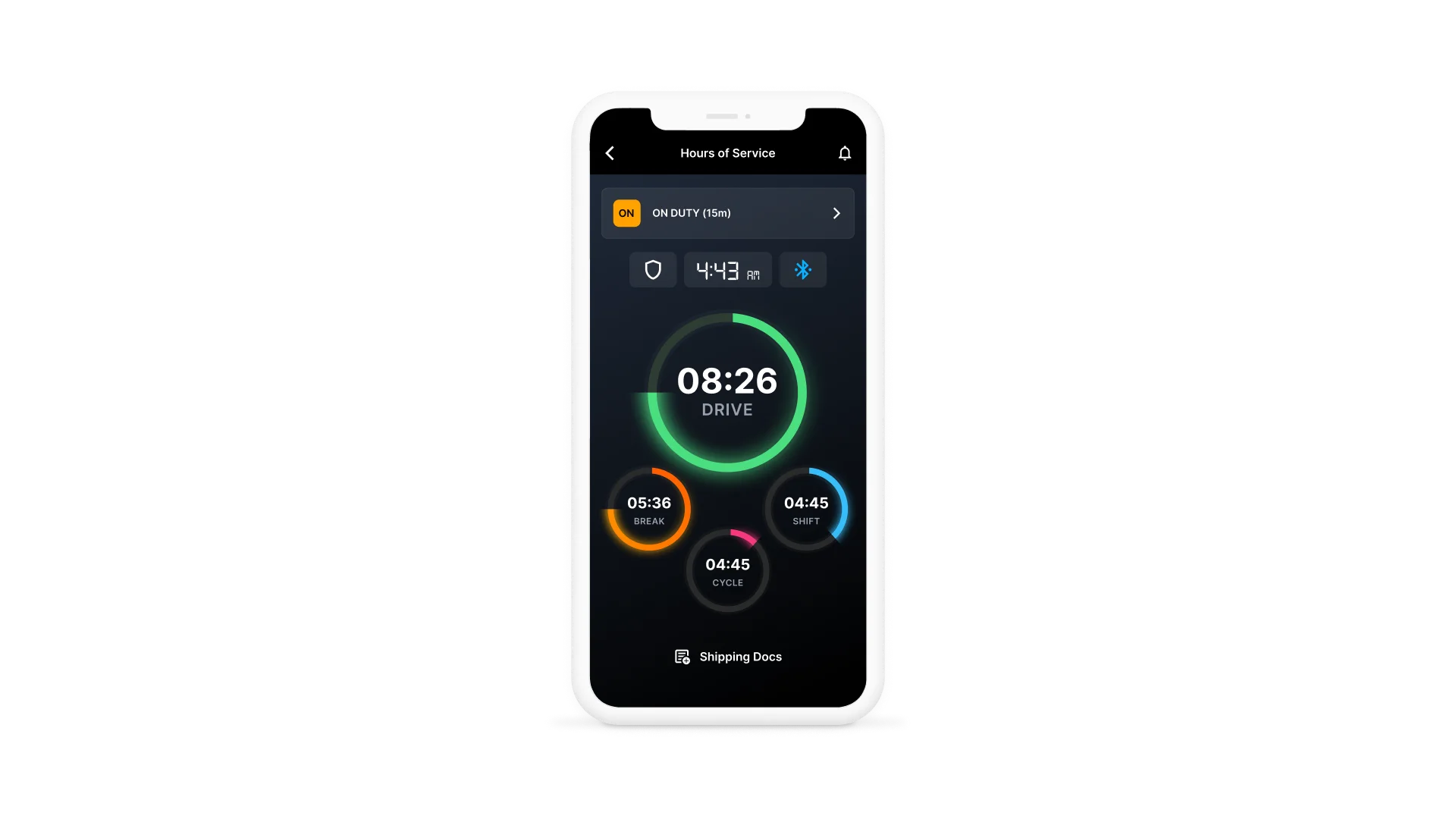
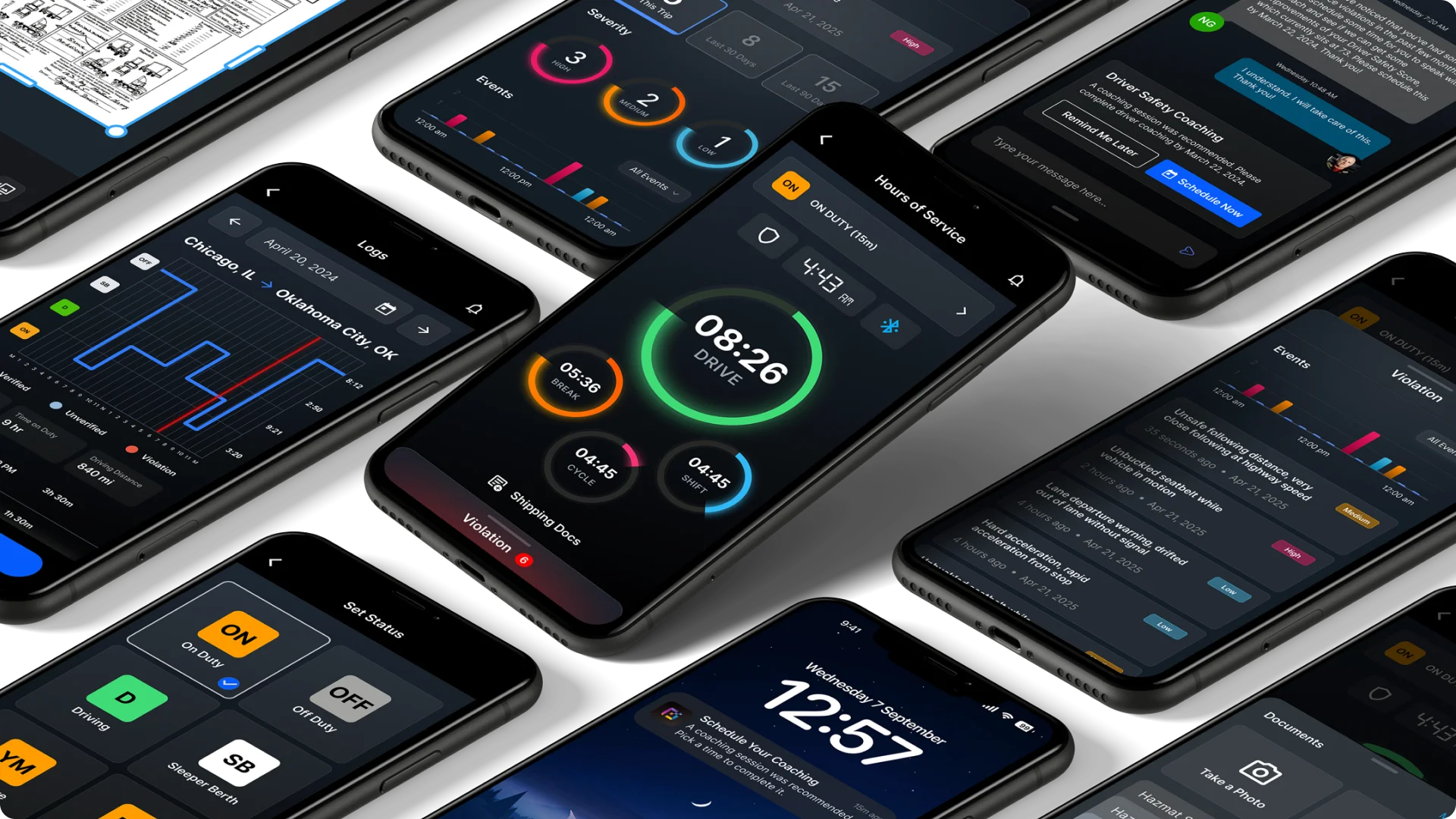
The HOS Dashboard kept the current duty status and remaining break, drive, shift, and cycle time visible in one place. The countdown charts gave drivers a quick visual understanding of how much time remained, while the exact time stayed visible inside each chart.
The same screen also showed ELD connectivity, certification status, access to shipping documents, and any active violations.
Trip Violations
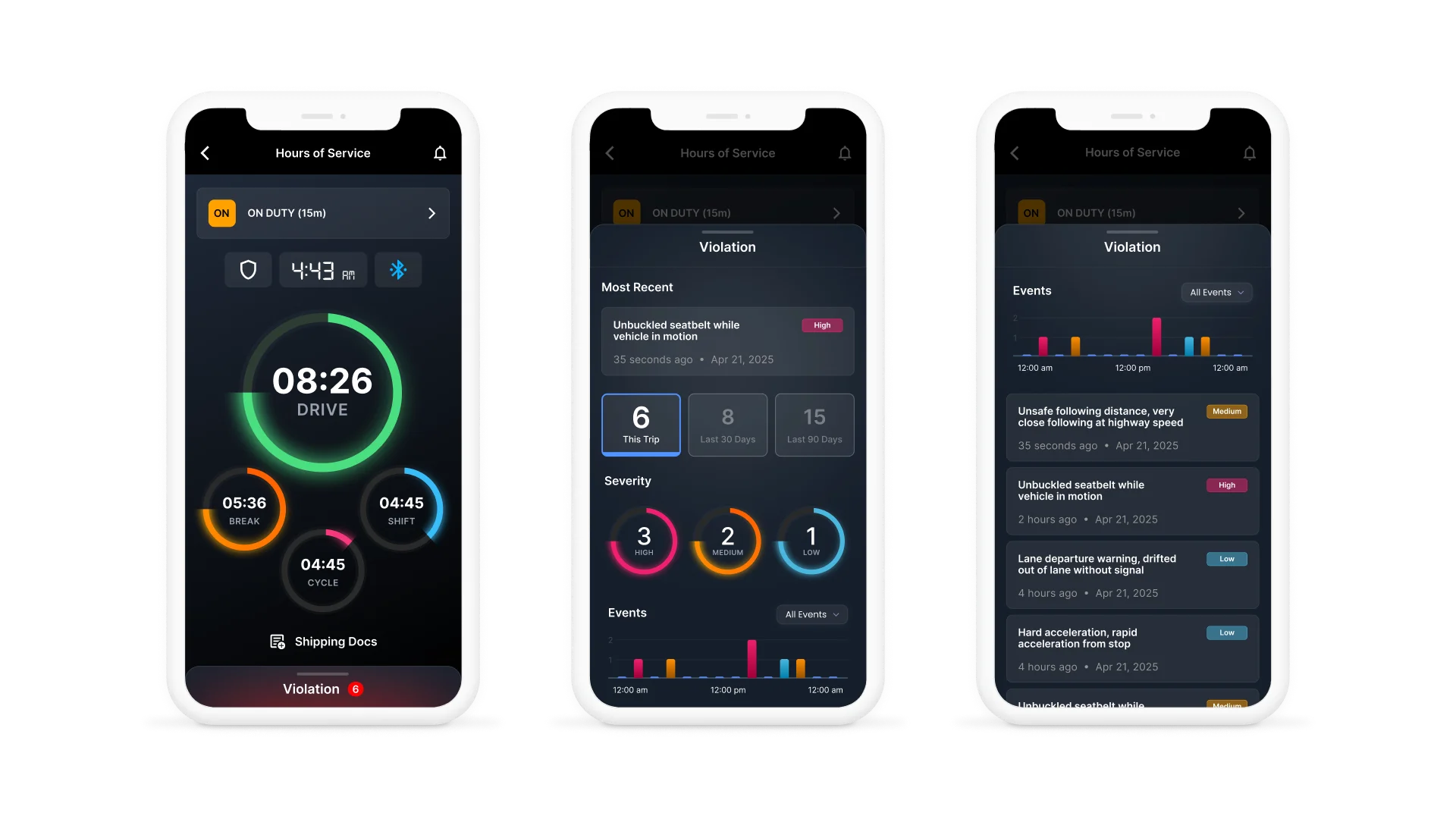
Violations were surfaced directly from the HOS Dashboard rather than hidden inside a separate area of the application.
When no immediate action was required, the sheet stayed partially visible at the bottom of the screen. If violations were present, the sheet used a red active state and displayed the total number.
Opening the sheet revealed the most recent violation, severity, timing, and a broader view of the driver’s recent history. Drivers could compare violations from the current trip, the previous 30 days, or the previous 90 days.
Severity charts and the event timeline helped show whether the issue was isolated or part of a recurring pattern.
Logs and records
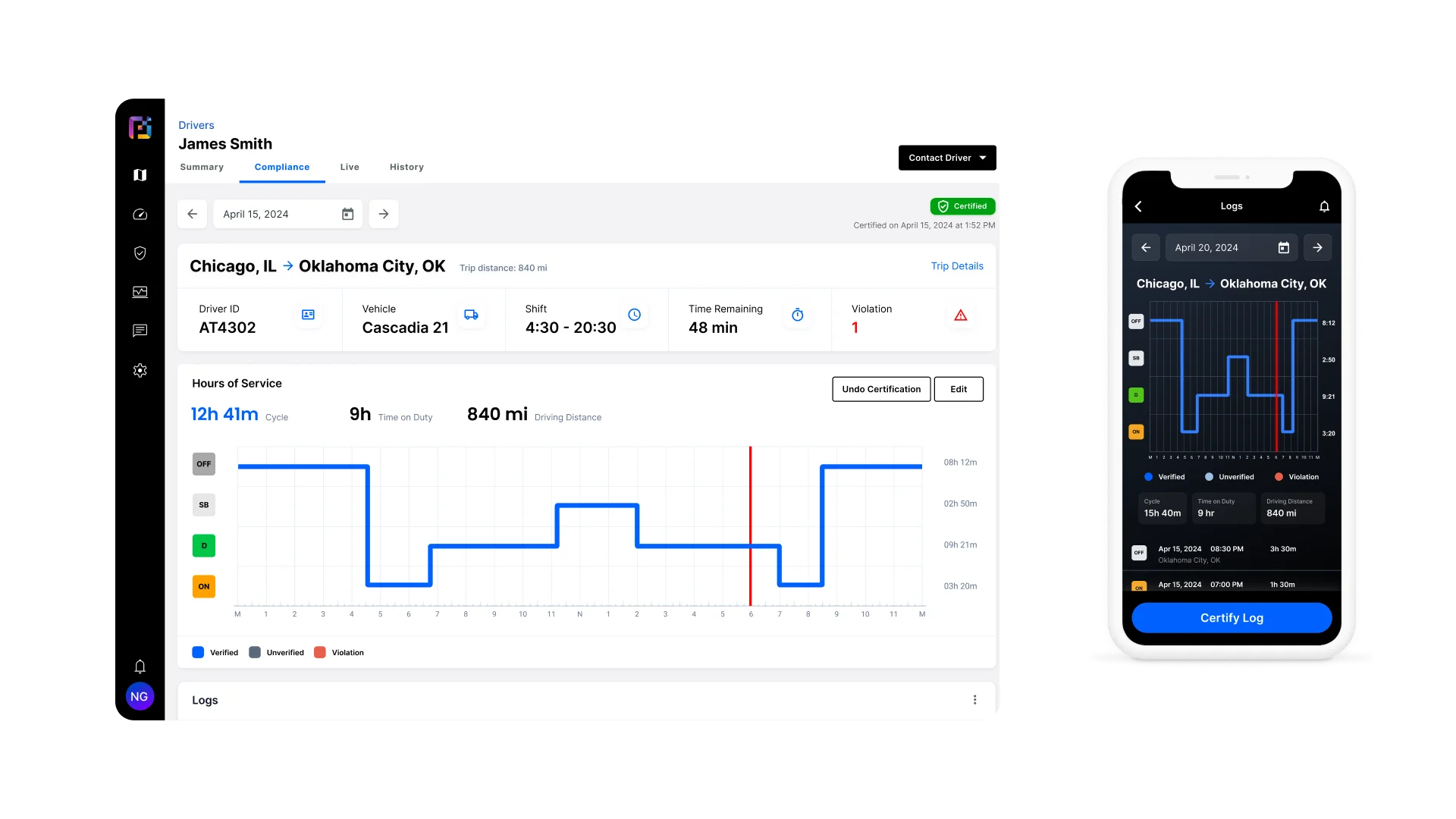
Drivers could also review the complete HOS record from their phone.
The Logs screen combined the duty-status timeline with origin and destination, cycle time, on-duty time, driving distance, and the complete event log. This gave drivers access to the same underlying record used during the fleet manager’s compliance review.
Turning insight into intervention
From recommendation to action
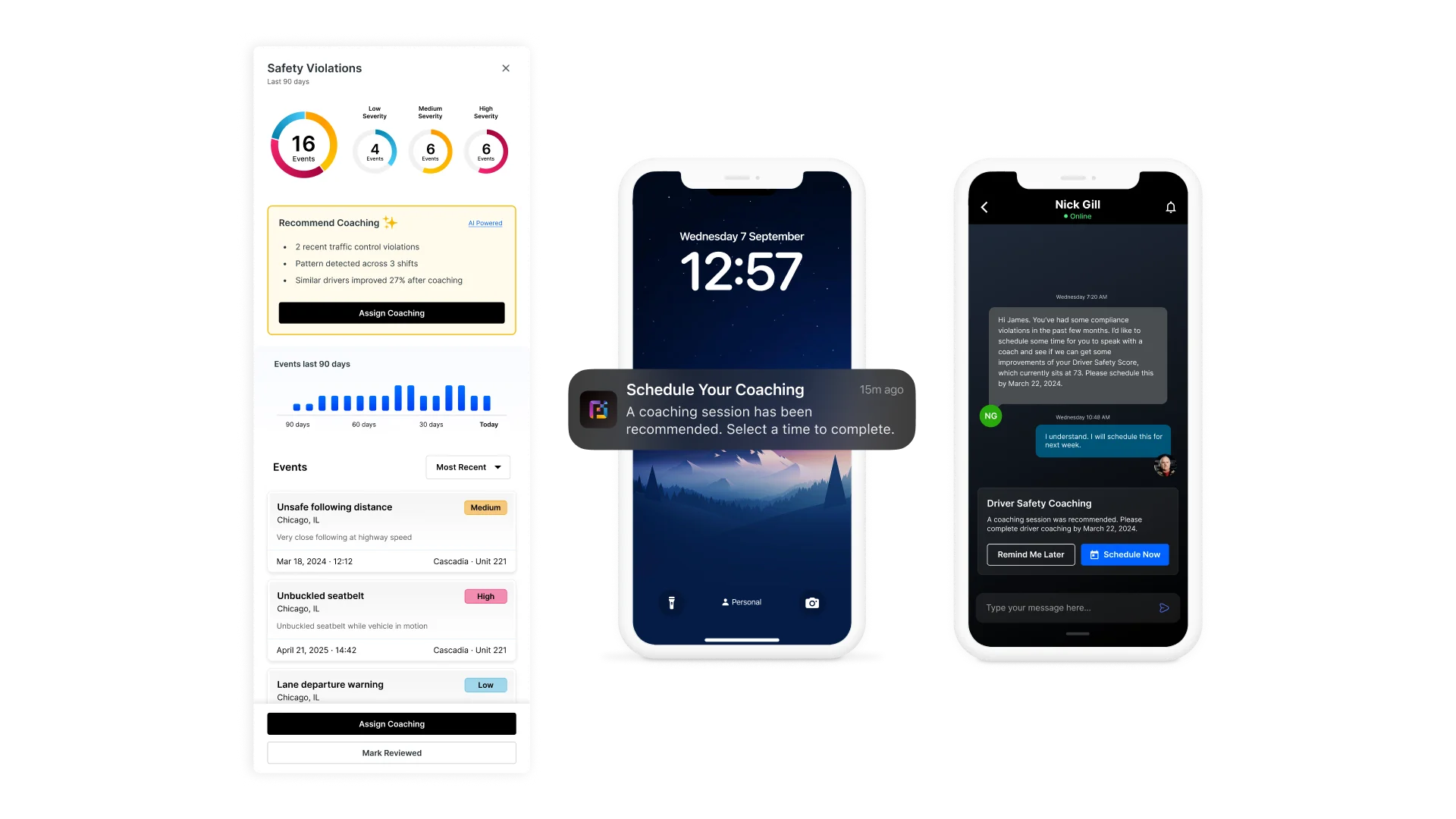
The system did more than list driver events. It looked for patterns across recent shifts and surfaced a recommended next action.
From the Safety Violations panel, managers could review event severity, recent trends, and the behavior contributing to the recommendation. The system could then recommend coaching based on the driver’s history and improvement patterns from similar drivers.
The manager remained responsible for reviewing the recommendation, selecting the coaching option, and setting a completion date.
Once assigned, the action moved directly into the driver’s mobile experience.
Supporting mobile tasks
The mobile application also handled the smaller tasks required to maintain an accurate compliance record.
Drivers could change their duty status, add context to a status change, attach shipping documents, capture a new document using the camera, and certify their logs with a digital signature.
These were supporting interactions, but together they showed the depth of the mobile experience beyond the primary dashboard.
A faster path from risk to action
Outcome
The pilot connected driver monitoring, trip investigation, coaching, and daily compliance into one coordinated experience.
Fleet managers had a faster way to understand why a driver was flagged and decide what should happen next. Drivers could manage their available hours, review violations, maintain their logs, provide documentation, and respond to coaching from the same mobile application they used throughout the shift.
The work also created a stronger foundation for mobile driver tools by bringing compliance, communication, and corrective action into one connected product.
1.25k
Pilot users
35%
Faster driver risk review
74%
Coaching completion