


CASE STUDY
Overview
Uptake had multiple teams shipping products with different visual styles and separate UI patterns. The lack of a shared system slowed delivery and made the experience inconsistent across platforms. I helped build a design system that unified the visual language, created reusable components, and gave designers and engineers a single place to work from. The result was a system that improved speed, clarity, and consistency across more than ten product teams.
| Role | Design System Co-Lead, Product Designer |
| Industry | Predictive Analytics (AI) |
| Timeline | 2018–2019 |
| Tools | Sketch, Zeplin, Jira |
Building alignment before building systems
DISCOVER
Problem
Uptake’s product teams were delivering fast but not consistently. Each team used its own design files, colors, and components. This created design drift, extra engineering effort, and user experiences that felt unrelated across products. What looked like a design issue was actually slowing the business with rework and growing technical debt.
What we uncovered
- Separate design files and component sets with no shared source of truth.
- Accessibility and performance improvements could not scale.
- Visual and interaction patterns behaved differently across products.
- Engineers rebuilt UI patterns from scratch because designs were unclear or inconsistent.
The cost
Duplication added time to every release. QA had to validate each product independently. New features added more inconsistency instead of reducing it.
What I did
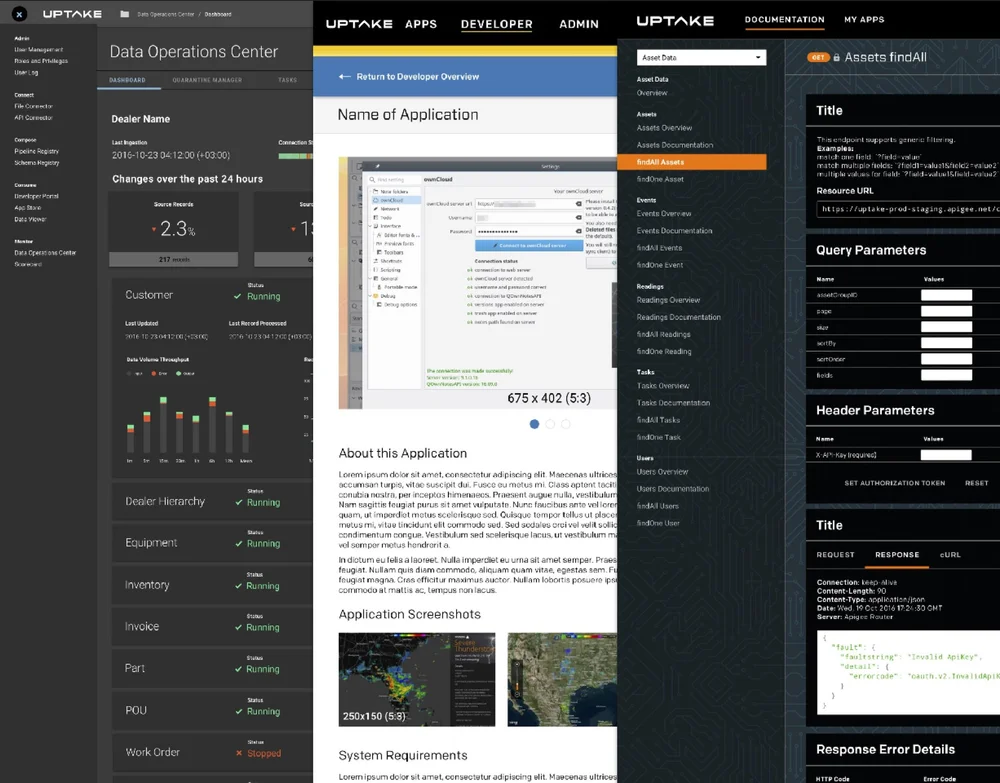
I co-led an audit comparing components, colors, and interactions across ten products. Presenting these side by side made the fragmentation and wasted effort visible.
Why it mattered
The audit gained leadership support to invest in a unified design system that aligned design and engineering within a single maintainable framework.
Design Principles
Before building components, we needed shared values to ensure consistency. The design team was new and growing quickly, and without foundational principles, decisions risked becoming subjective.
How we aligned
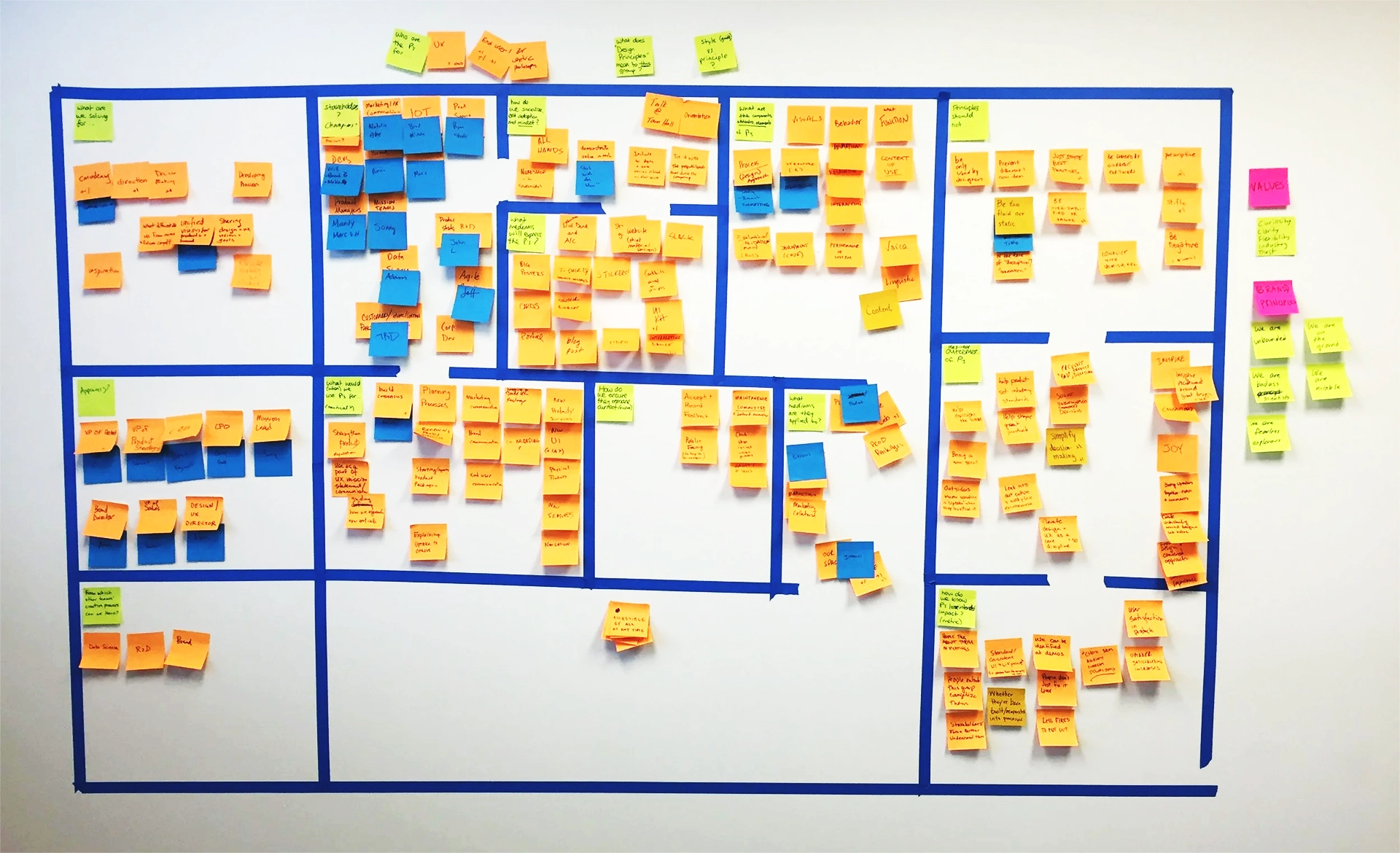
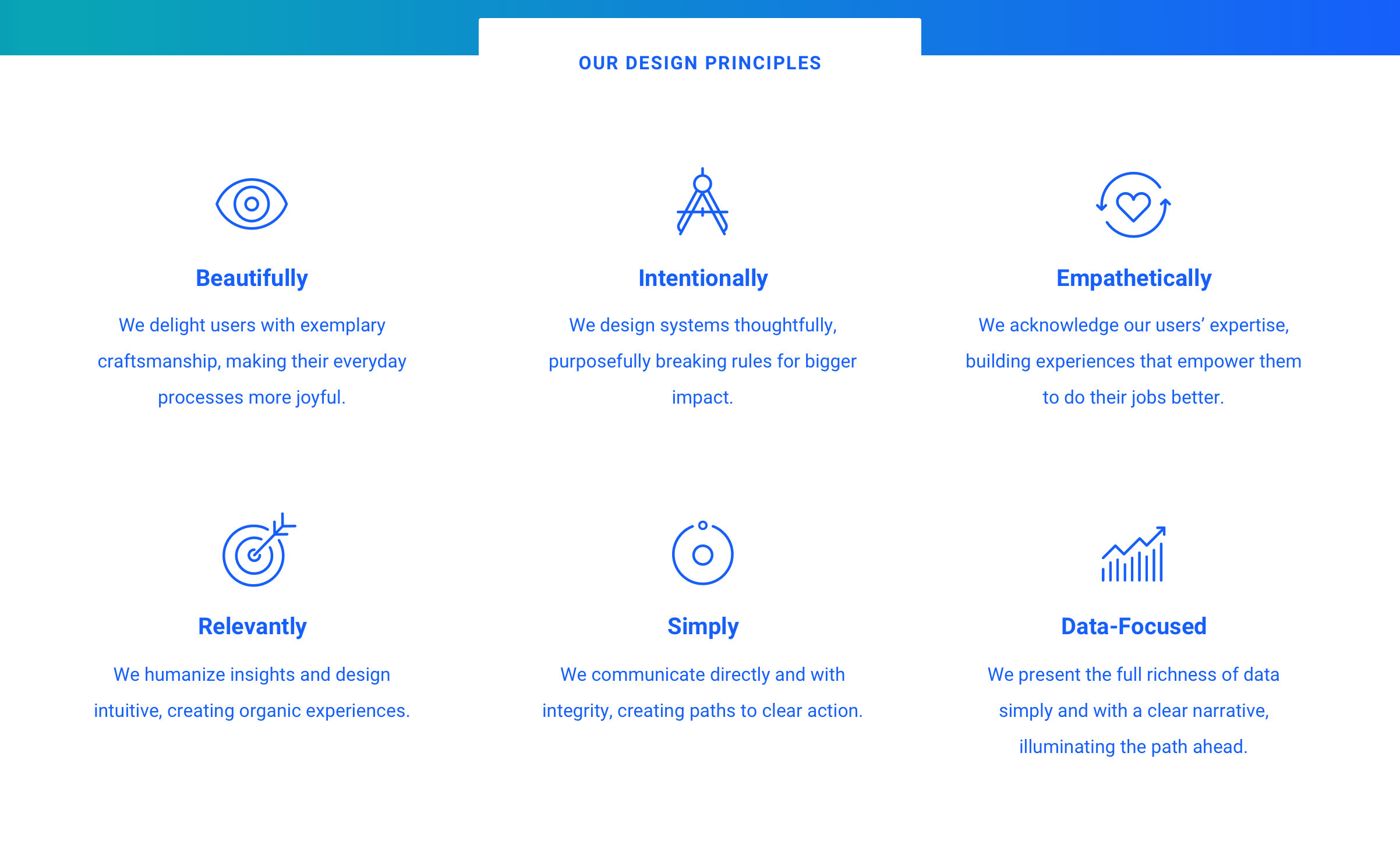
We led a collaborative workshop built around an abstraction exercise asking “What kind of band are we?”. This revealed themes about rhythm, energy, and clarity that reflected how we wanted our products to feel. With our UX content strategists, we shaped these into six principles that guided decisions across design, development, and documentation.
Creating clarity, structure, and support
DEFINE
Stakeholder Support
To earn support, we had to show the business impact of inconsistent design and redundant engineering. The audit exposed duplicated components, mismatched visuals, and slow release cycles. We framed the solution as an operational improvement rather than a design preference. Standardization would speed delivery, reduce waste, and strengthen the product suite.
Partner Education
Once the system was approved, adoption depended on how well people understood it. I led internal talks, demos, and Q&A sessions to show teams how the design system reduced effort and improved quality. I also met with individuals to understand their needs and frustrations so the roadmap reflected real problems, not assumptions.
This work made adoption easier because teams felt included rather than directed. By the time the first release shipped, the system already had early advocates who understood how it would help their day-to-day workflow.
Setting the Foundation
To determine what to build first, we hosted cross-functional workshops with designers, engineers, researchers, and product leads. The same themes surfaced repeatedly: duplicated UI, misaligned interactions, and time lost rebuilding basics. We mapped shared workflows and identified the components used most often—buttons, forms, navigation, and tables.
Starting with this focused set gave teams immediate value and created a model for how future releases would scale.
Design System Goals & Benefits
- •Strategic Growth
- •Less Overhead
- •Clarity
- •Trust
- •Stronger Brand Experience
- •Internal Happiness
- •Common Expectations
- •Common Documentation
- •Sets Expectations
- •Simplifies Decision Making
- •Frees up time to create new & unique elements
- •Employee ROI
- •Sets Confidence/Expectations
- •Speed to Market
- •Pattern Recognition
- •Confidence
- •Trust
- •Speed (onboarding and through application)
- •More Revenue
- •Speed
- •Clarity
- •Collaboration
- •Accuracy
- •Job Satisfaction
- •Money
- •Time
- •Internal Happiness
- •Accuracy
- •Job Satisfaction
- •Confidence
- •Adaptability/Flexibility
- •Future Proof
- •Flexibility
- •Long Lasting
- •Adaptable
- •Forward Thinking
- •Accuracy
- •Confidence
- •Ease of Onboarding
- •ROI
- •Growth
- •Ease of Onboarding
- •Workflow Adaptability
- •Reduced Support Costs
- •Higher Customer Satisfaction
- •Competitive Advantage
- •Pride in Work
- •Fewer Bugs & Issues
- •Professional Reputation
- •Reliability
- •Reduced Rework
- •Predictable Outcomes
- •Fewer Errors
- •Polished Experience
- •Increased Trust
Team Model & Roles
The system needed shared ownership. A platform team managed the core library, while product designers and engineers contributed insights from real usage. This created a feedback loop where platform work supported products, and product work informed the system.
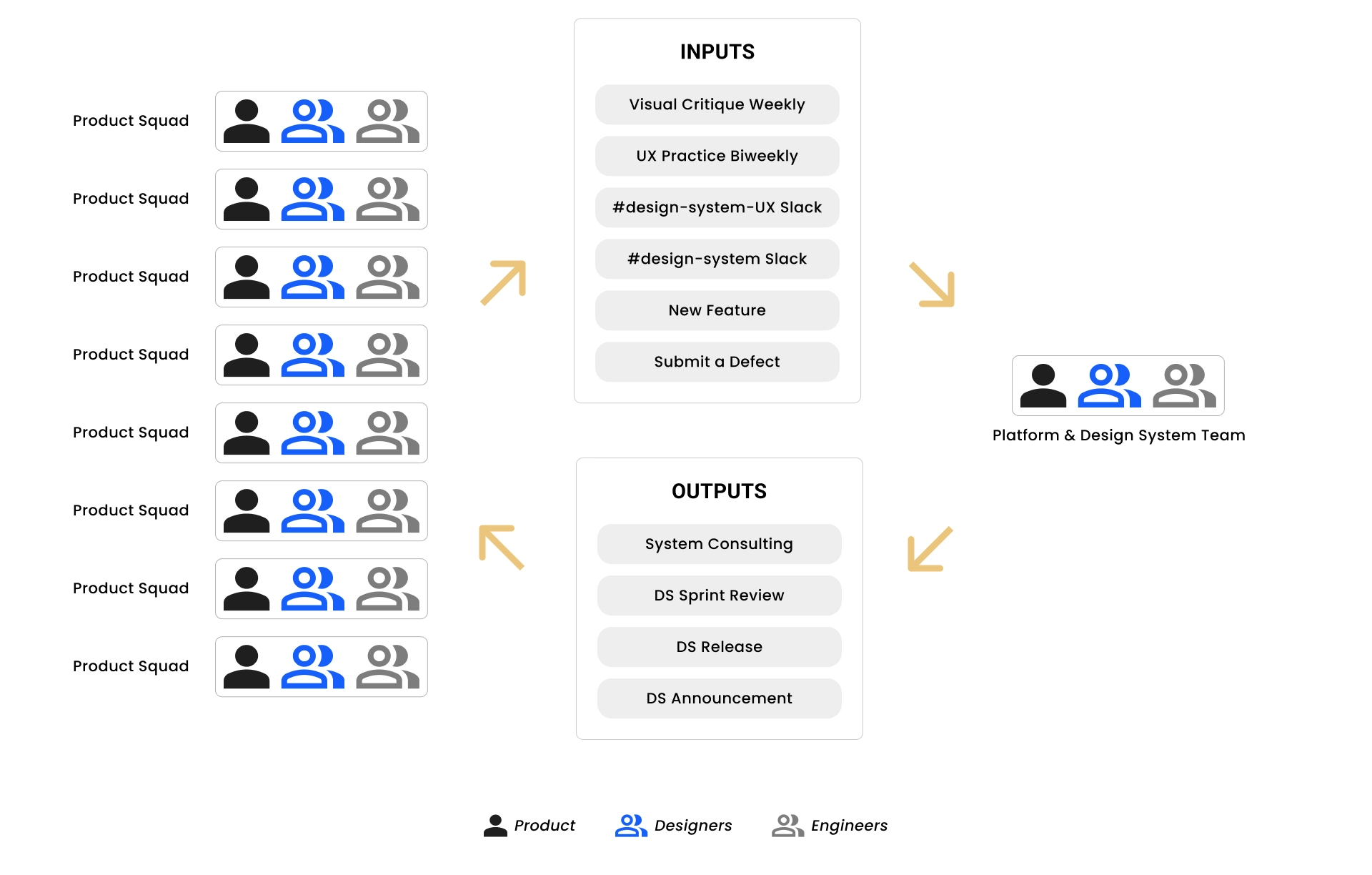
We formalized responsibilities with a RACI map that clarified who created, reviewed, and maintained each piece. This reduced confusion during sprints.
Responsibility Assignment Matrix for Project Tasks
| Task/Activity | Interaction Designer | UX Researcher(s) | UX Visual Designer(s) | Content Strategist | Product Lead | Engineering Lead | UX Lead | UX Director |
|---|---|---|---|---|---|---|---|---|
| Prioritization | I | C | I | I | A | C | C | C |
| Kickoff | R | I | C | I | R | I | A | |
| Research/Discovery | R | R | C | I | I | I | A | |
| Interaction Design | R | C | C | C | I | I | A | |
| Usability Testing | C | R | I | C | I | I | A | |
| Usability Testing Readout | C | R | I | I | I | I | A | |
| Interaction Design Iteration | R | C | I | I | I | I | A | |
| Visual Design | C | I | R | I | I | I | A | |
| Content Documentation | C | I | C | R | I | I | A | |
| Accessibility Review | C | I | R | I | I | I | A | |
| Development | C | I | C | I | I | A | C | |
| Development QA | R | I | R | I | C | A | C | |
| Documentation Site QA | R | I | R | C | C | A | R | |
| Feedback via documentation site | I | I | I | I | A | C | C |
Most contributors balanced product work and system work at about fifty percent each. This kept the library grounded in real needs while still progressing.
Team Allocation
Turning structure into scalable systems
DEVELOP
Working Smarter, Not Slower
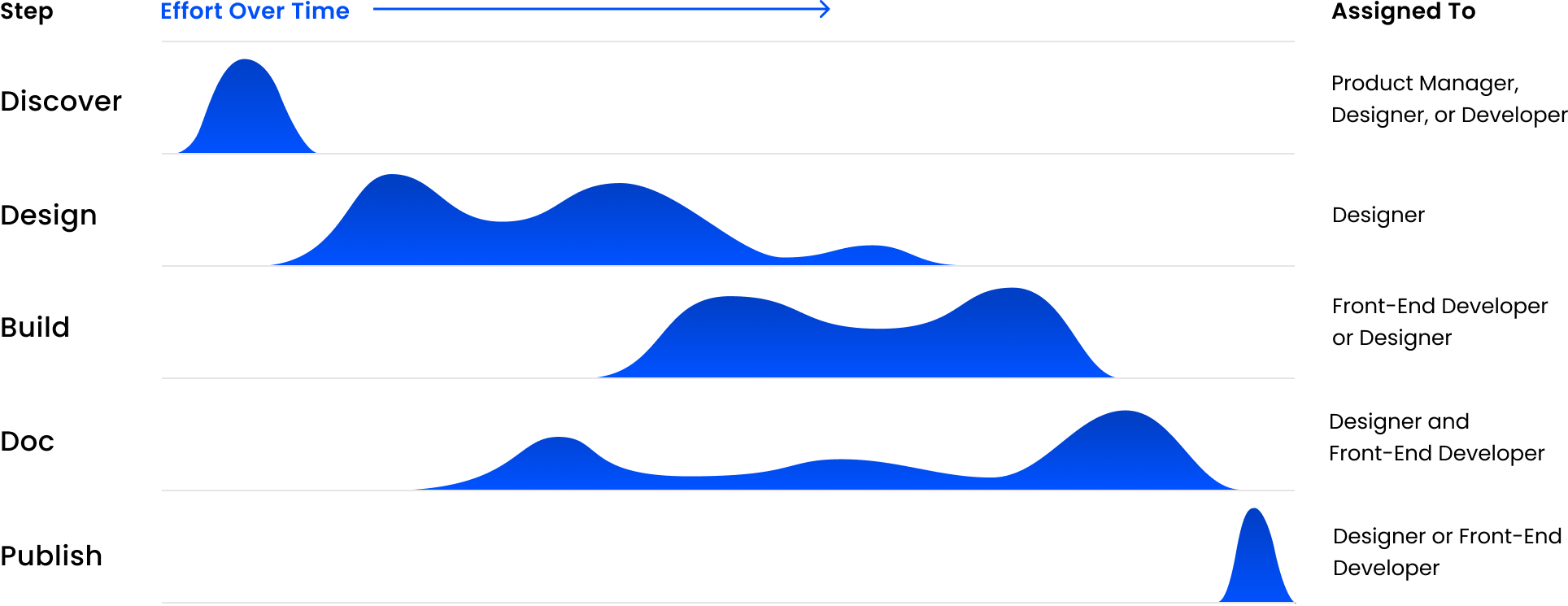
We created a workflow that reflected how teams actually work. The process followed five phases: Discover, Design, Build, Document, and Publish. Each phase had clear checkpoints but allowed overlap when collaboration improved speed or quality.
How effort shifted
- Product design was most active early in Discover and Design.
- Engineering took the lead during Build and supported through Publish.
- Documentation peaked during Document and contributed earlier for naming and examples.
- QA stayed active through Build and Publish to catch regressions.
Shared rules
- Every component started with an intake defining the problem and target pattern.
- Each phase had a shared definition of done.
- Reviews covered pattern, code, and accessibility.
- Every release included notes to help teams adopt updates confidently.
These steps reduced surprises, improved reuse, and increased trust between teams.
Core Library
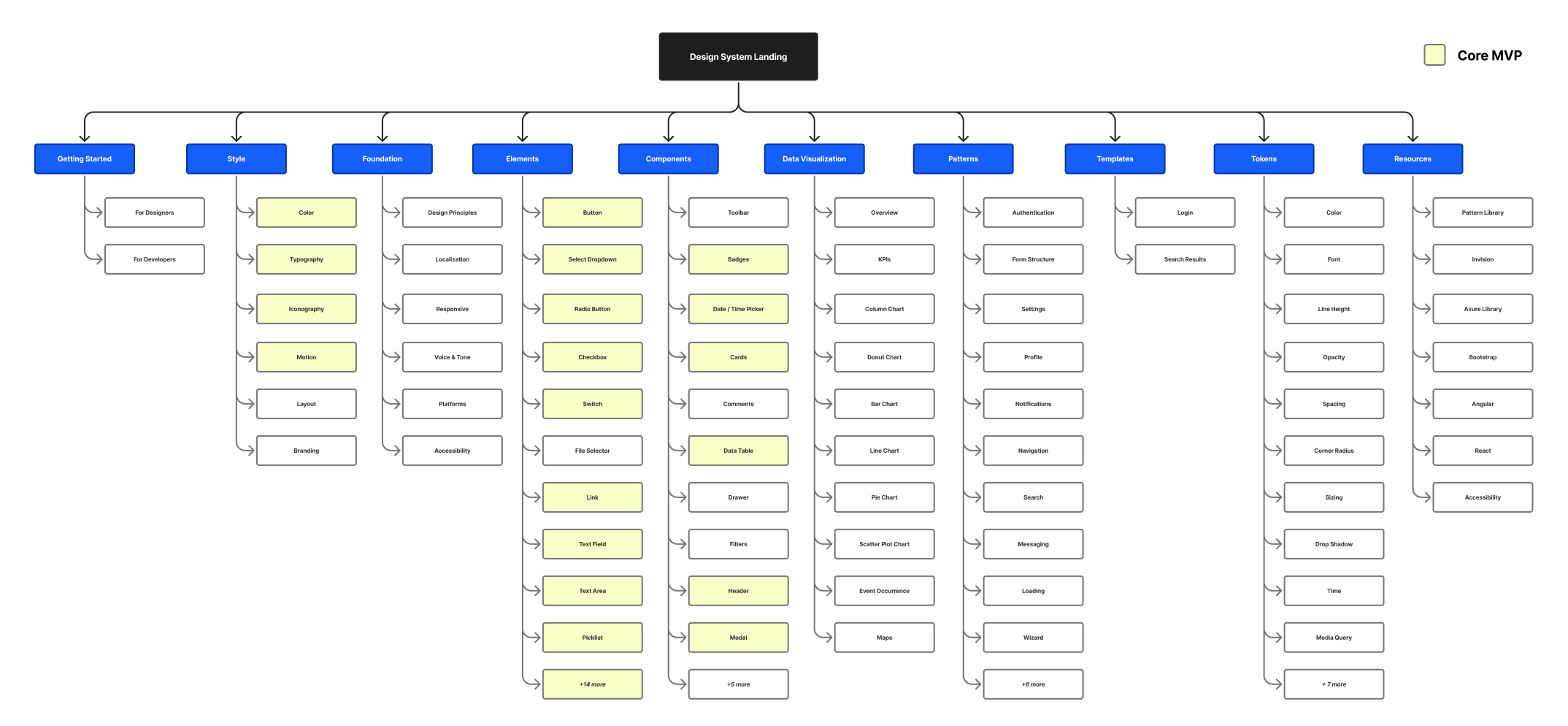
We focused on the components that every product depended on. The goal was to build a stable foundation fast so teams could adopt the system without slowing delivery. We defined the core elements first: color, typography, spacing, icons, and motion. Then we built the most reused components such as buttons, forms, navigation, and tables. These pieces carried the most risk if they drifted and the most value if they aligned. The sitemap outlined the scope of the first release and guided how the system would grow.
Documentation Framework
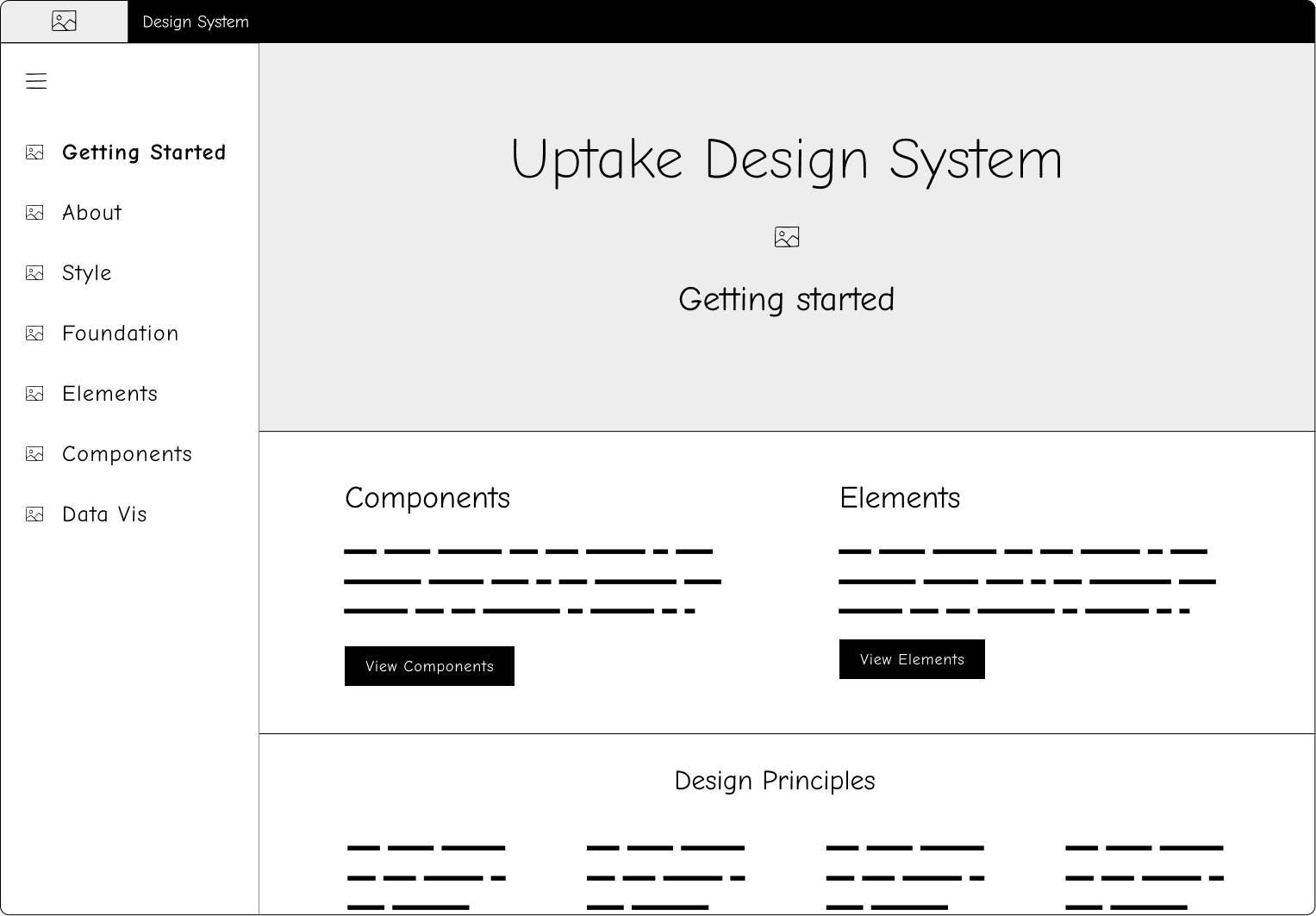
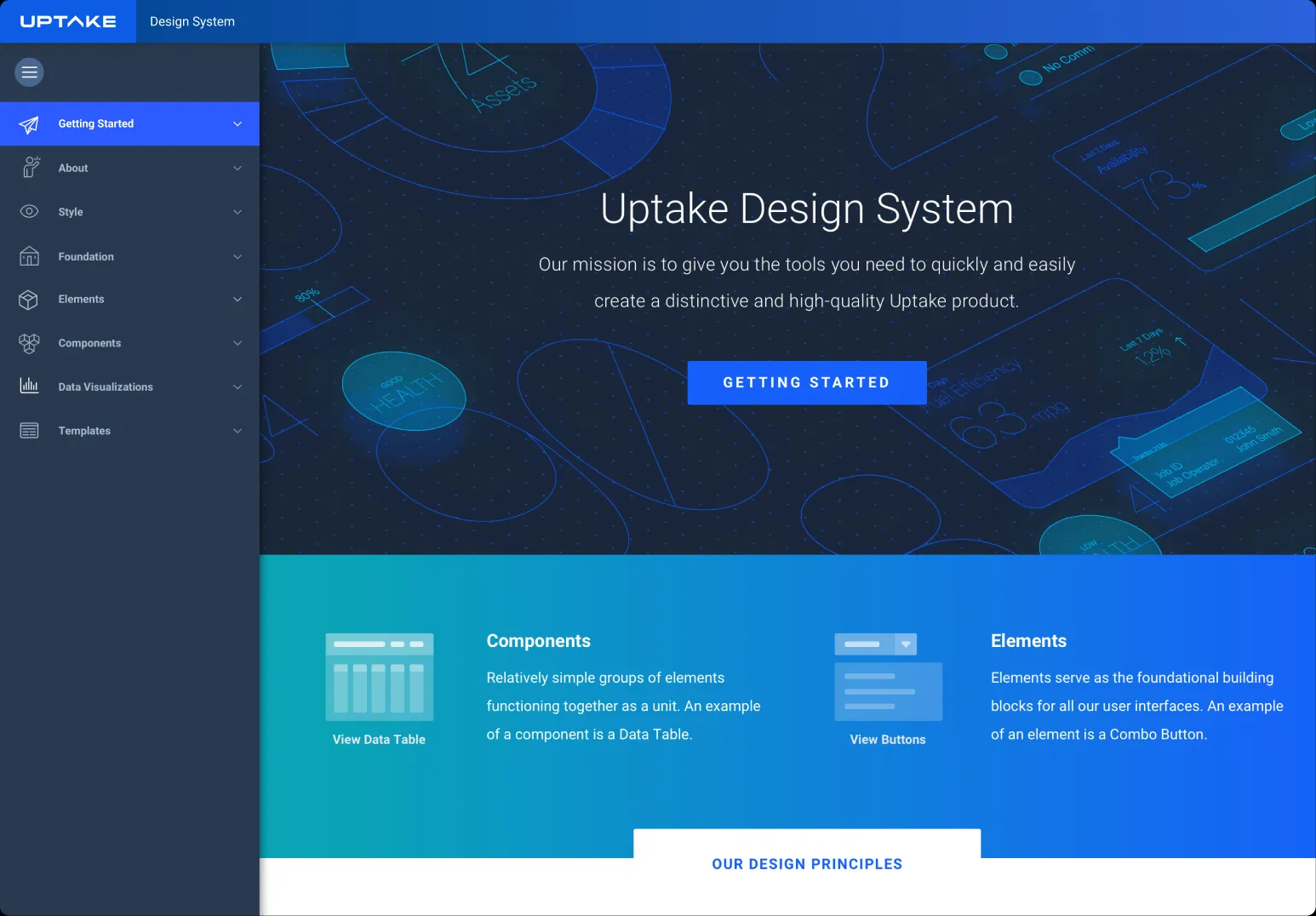
The documentation site was the central source of truth. It organized components, patterns, and tokens for quick scanning and consistent understanding.
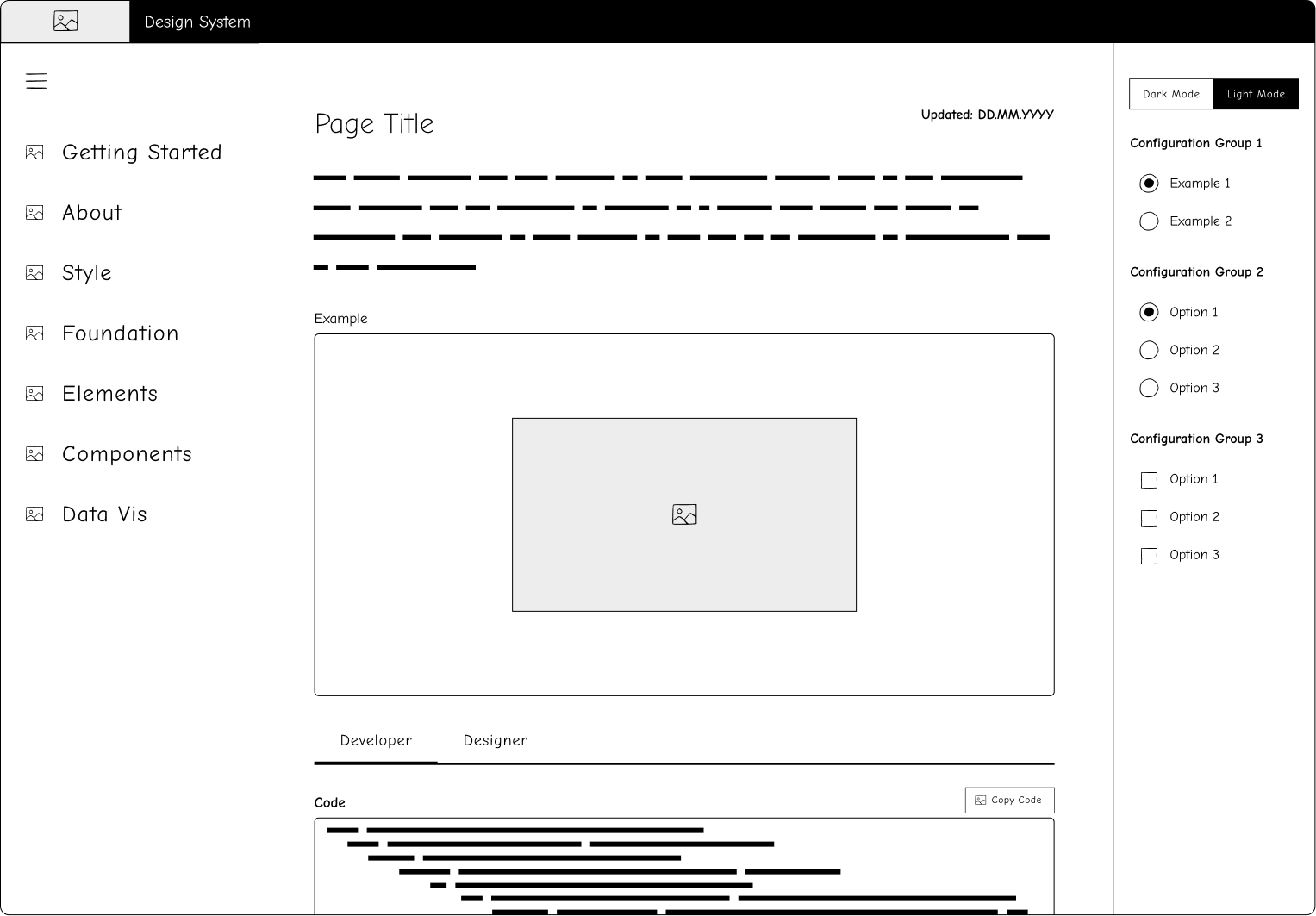
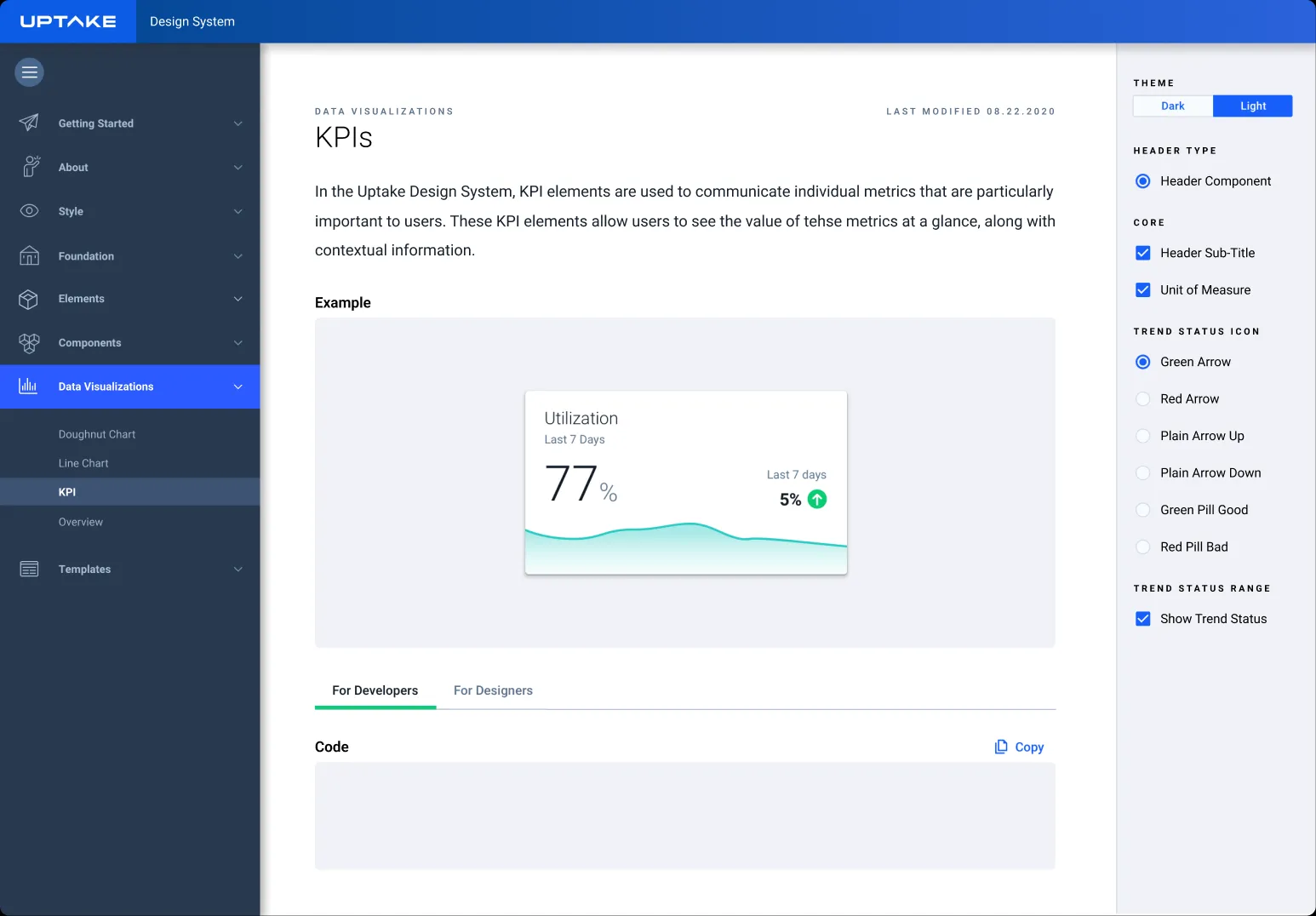
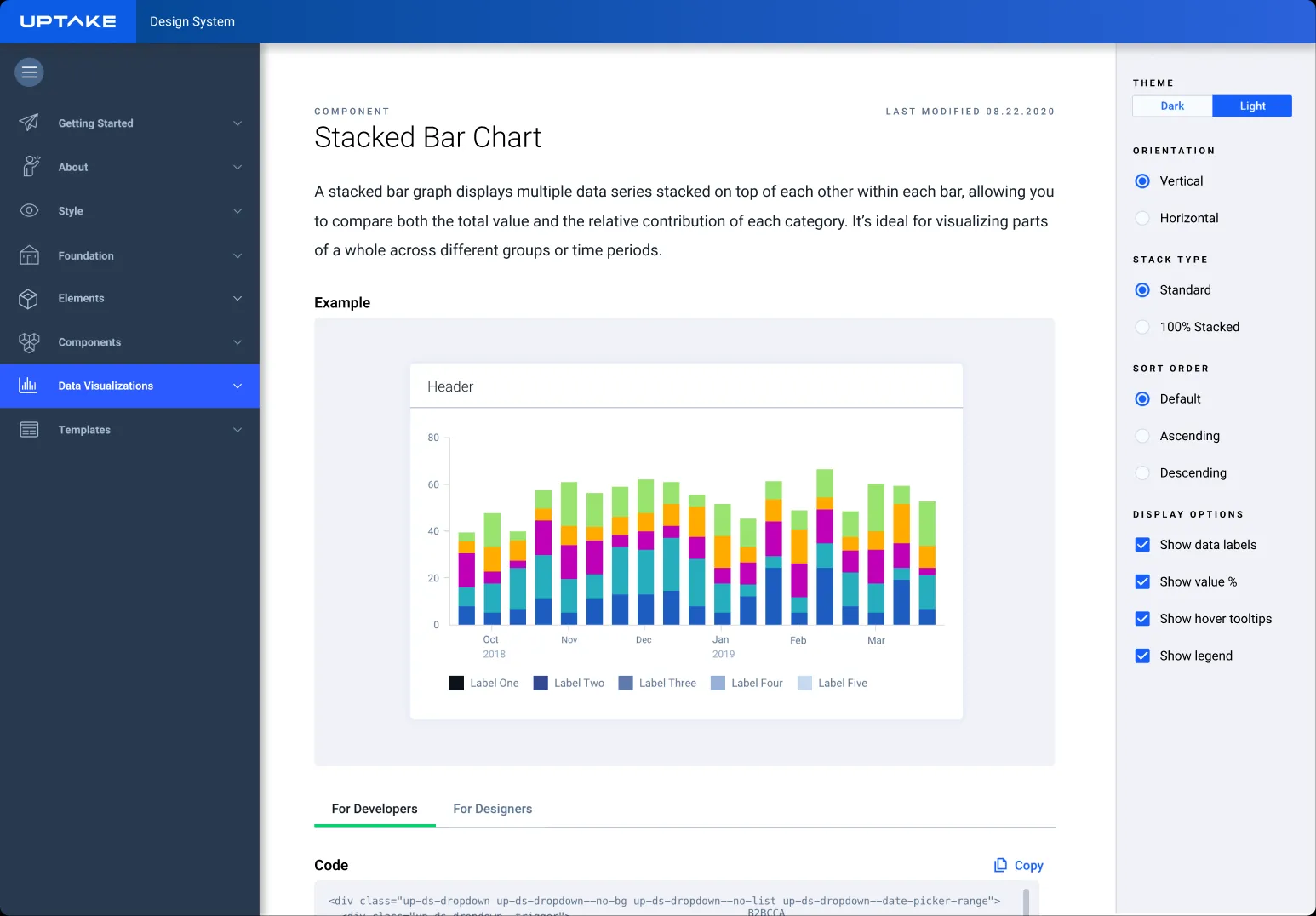
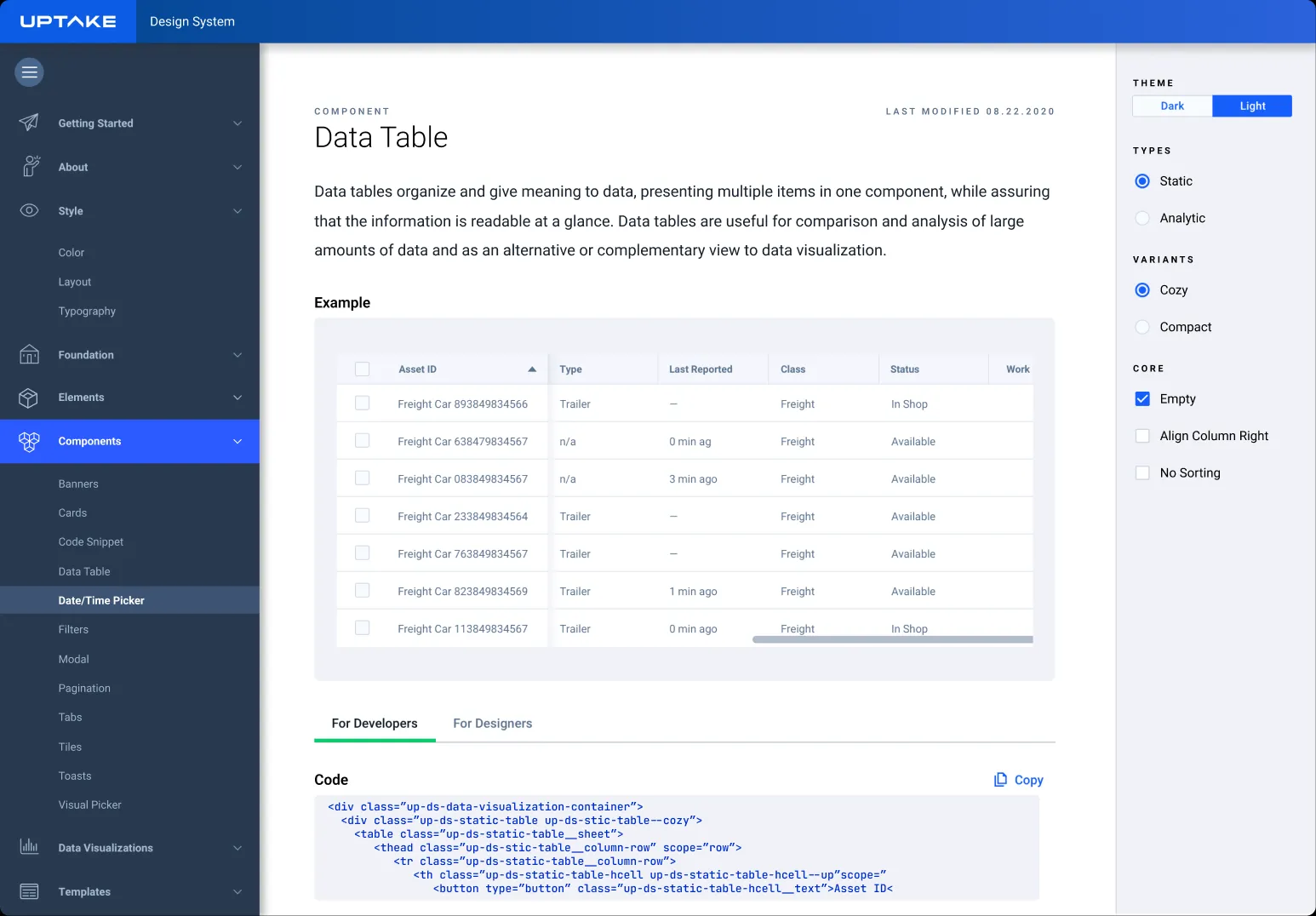
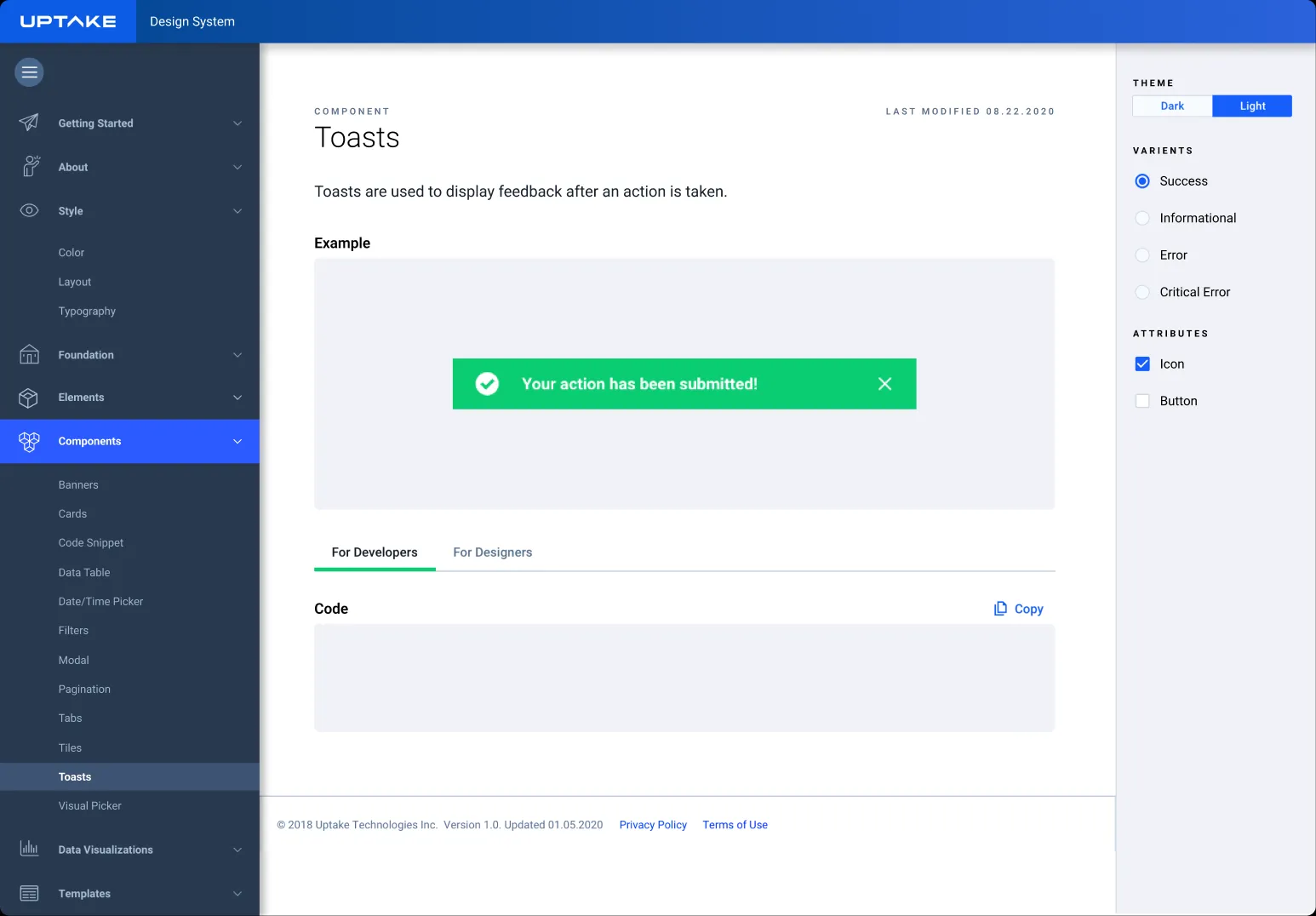
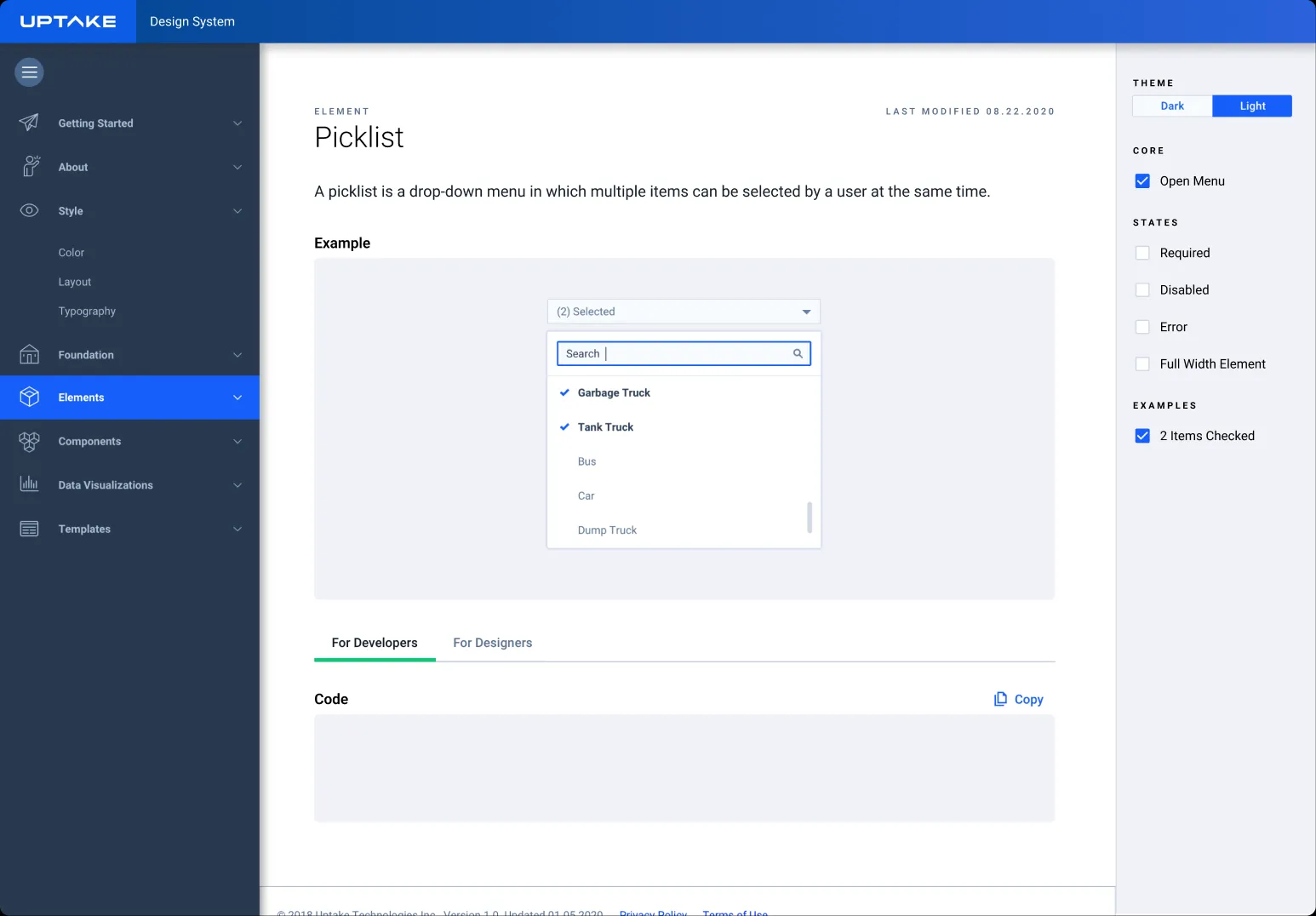
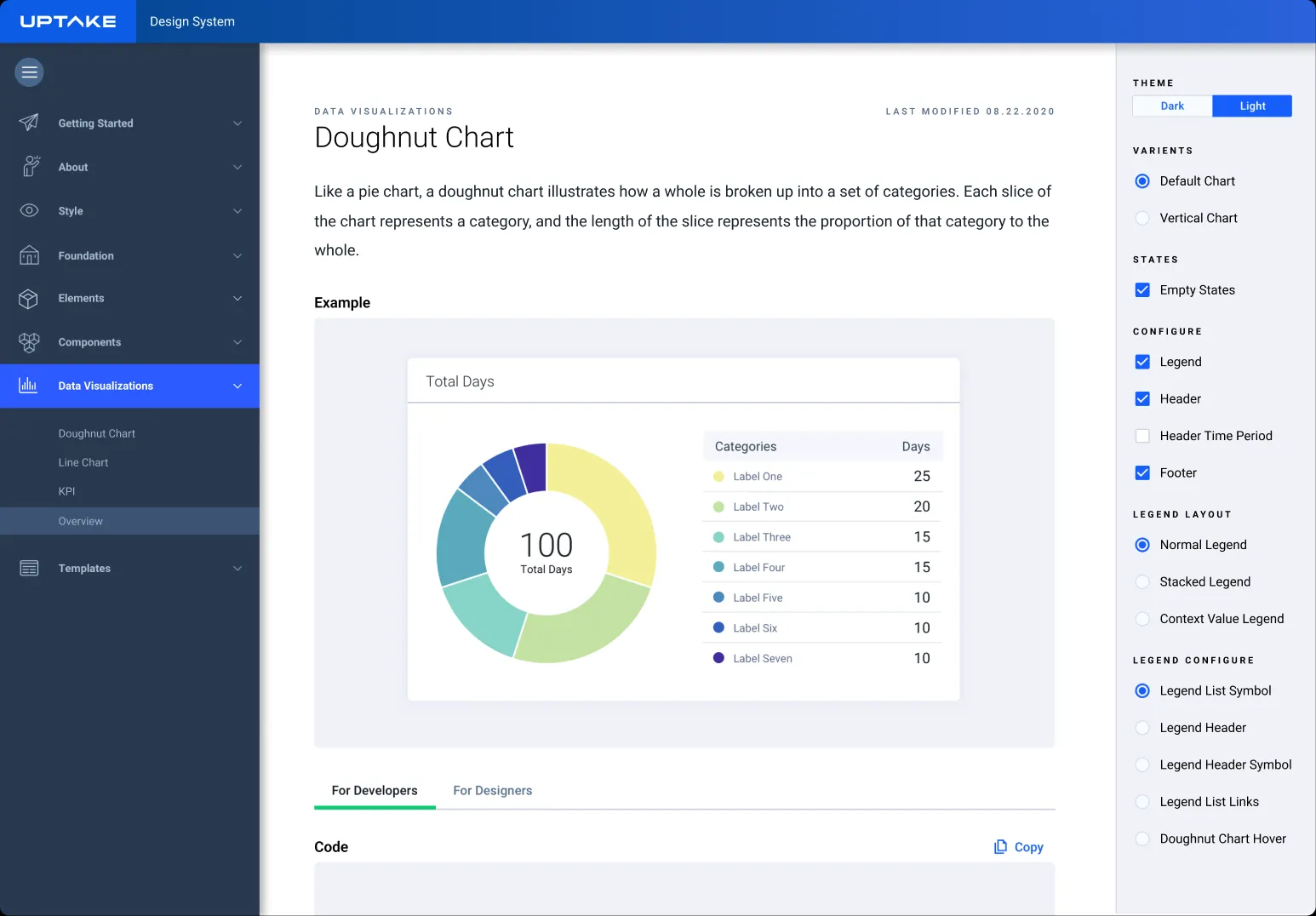
The landing page grouped content by how teams searched during real workflows. Component pages followed a predictable structure that included usage guidance, examples, states, accessibility notes, and links to coded versions.
Outcomes, adoption, and lessons that lasted
DELIVER
Rollout and Adoption
Updates were shared through a Slack channel and quarterly walkthroughs. New hires were onboarded the same way. Most teams adopted the system quickly because it reduced effort. Teams that initially hardcoded their own UI eventually transitioned as the shared library matured.
Outcomes
The design system improved consistency, reduced rework, and became the foundation for more than ten product experiences.
Impact on the Business
- Less time spent rebuilding common UI patterns
- Faster feature delivery across the product suite
- Reduced implementation drift and maintenance work
Impact on Designers
- Less repetitive work
- Clear guidance and examples
- More time focused on solving product problems
Impact on Developers
- Clear coded references in GitHub
- Fewer clarifications from design
- Lower technical debt
Key Metrics
These KPIs capture the improvements that mattered most to the organization.
Consistency
65%
Reduction in one-off UI patterns
Efficiency
40%
Decrease in rebuilding time
Adoption
85%
Teams using shared components
Clarity
50%
Drop in clarification questions
Design System Deliverables
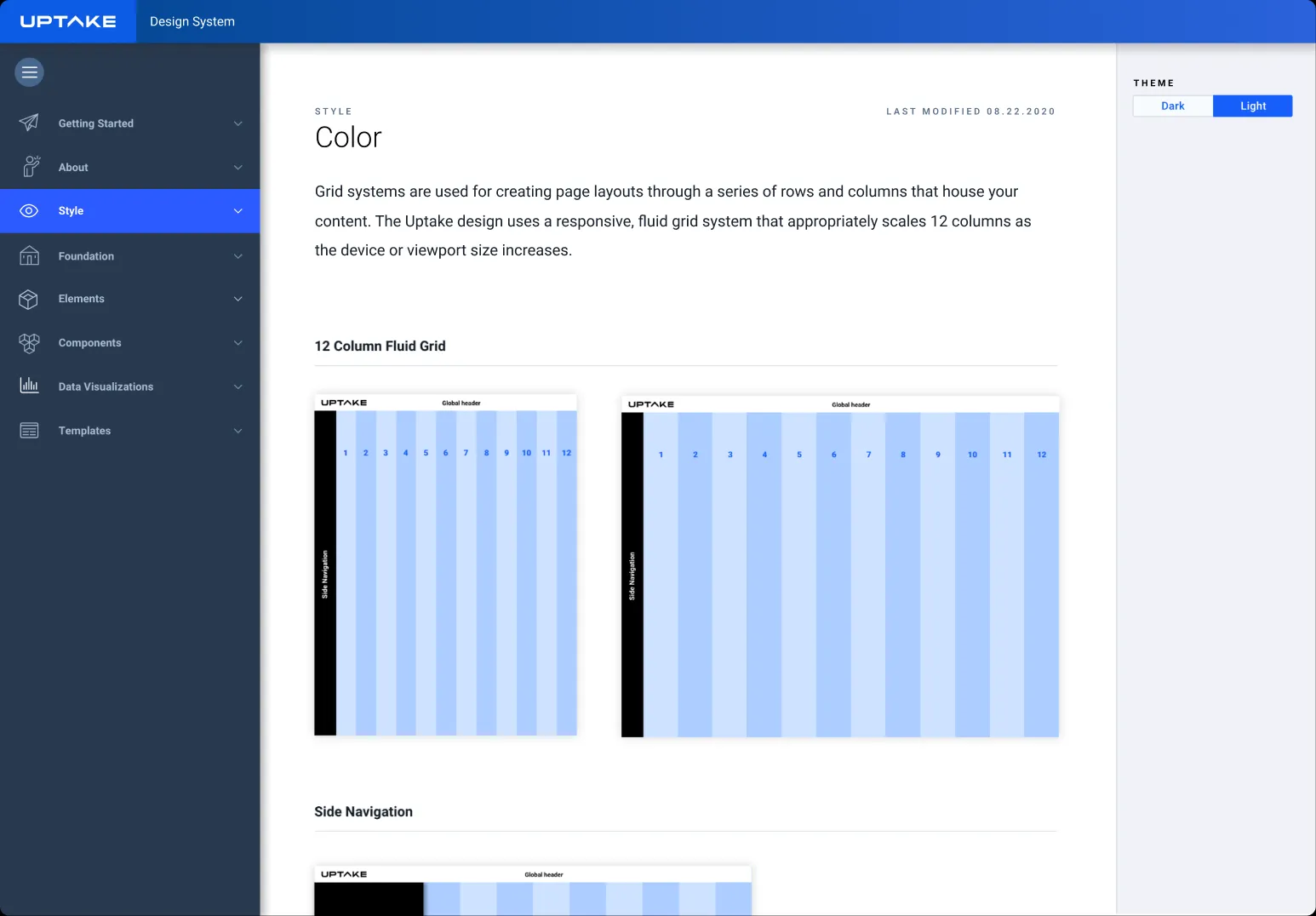
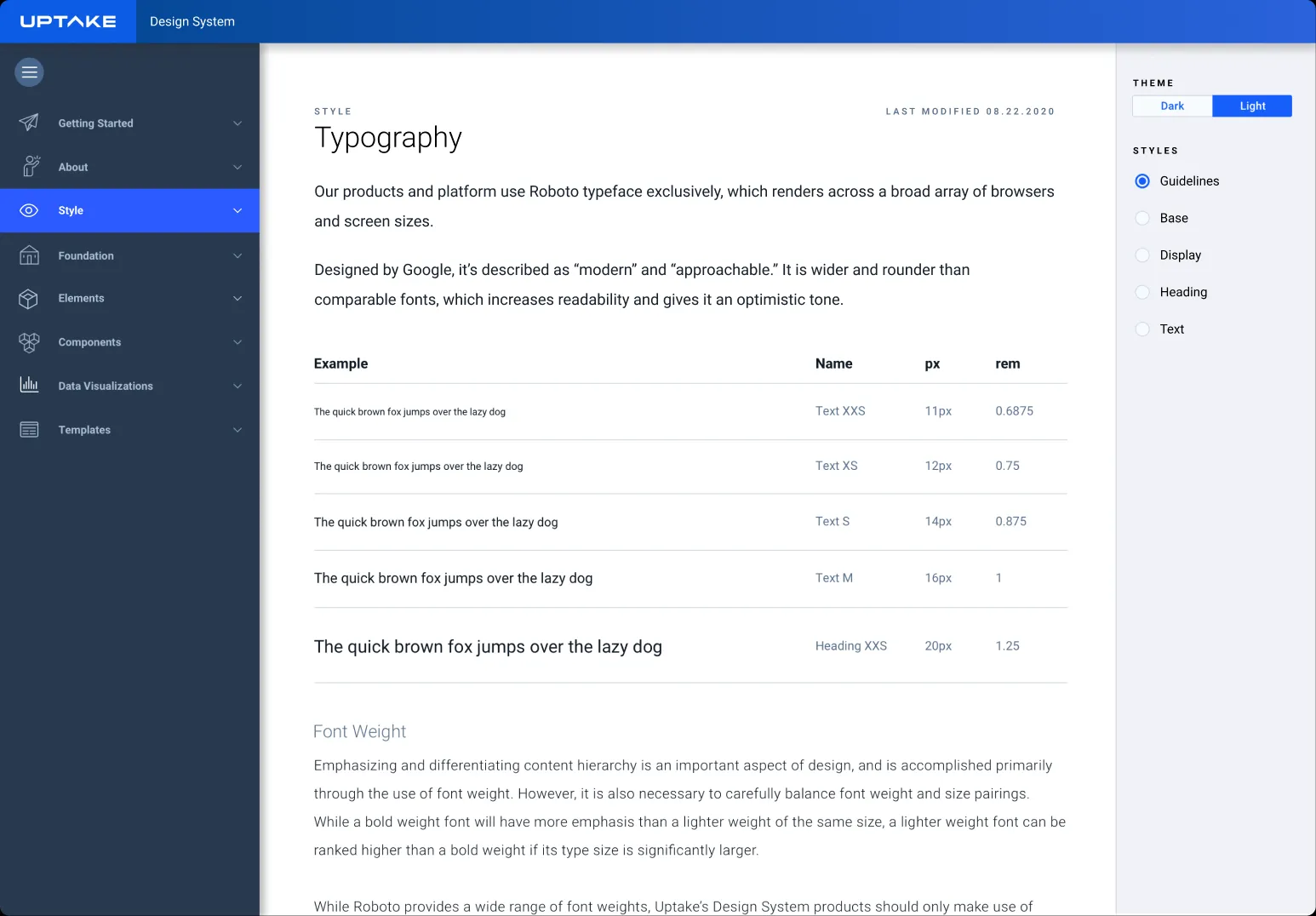
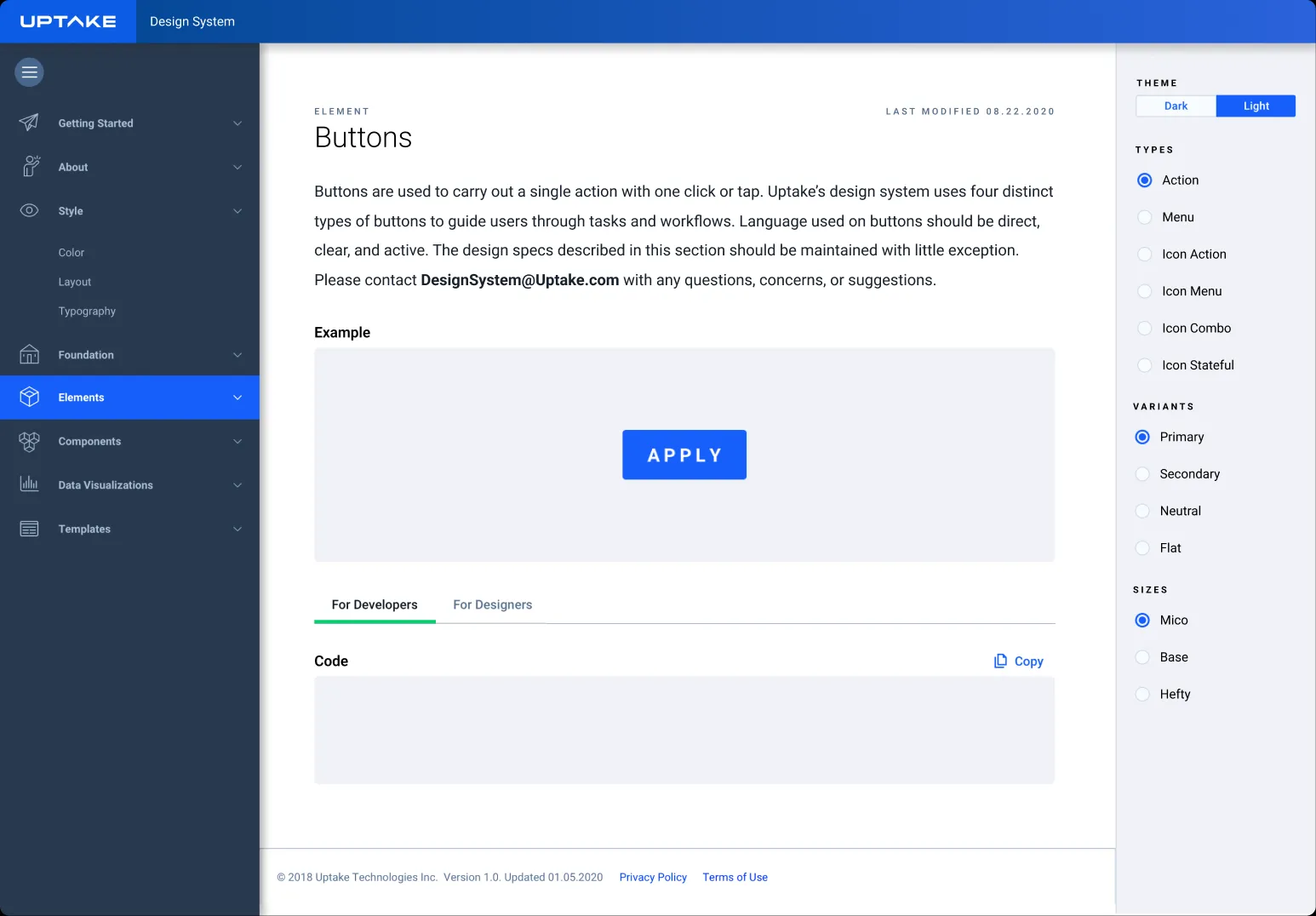
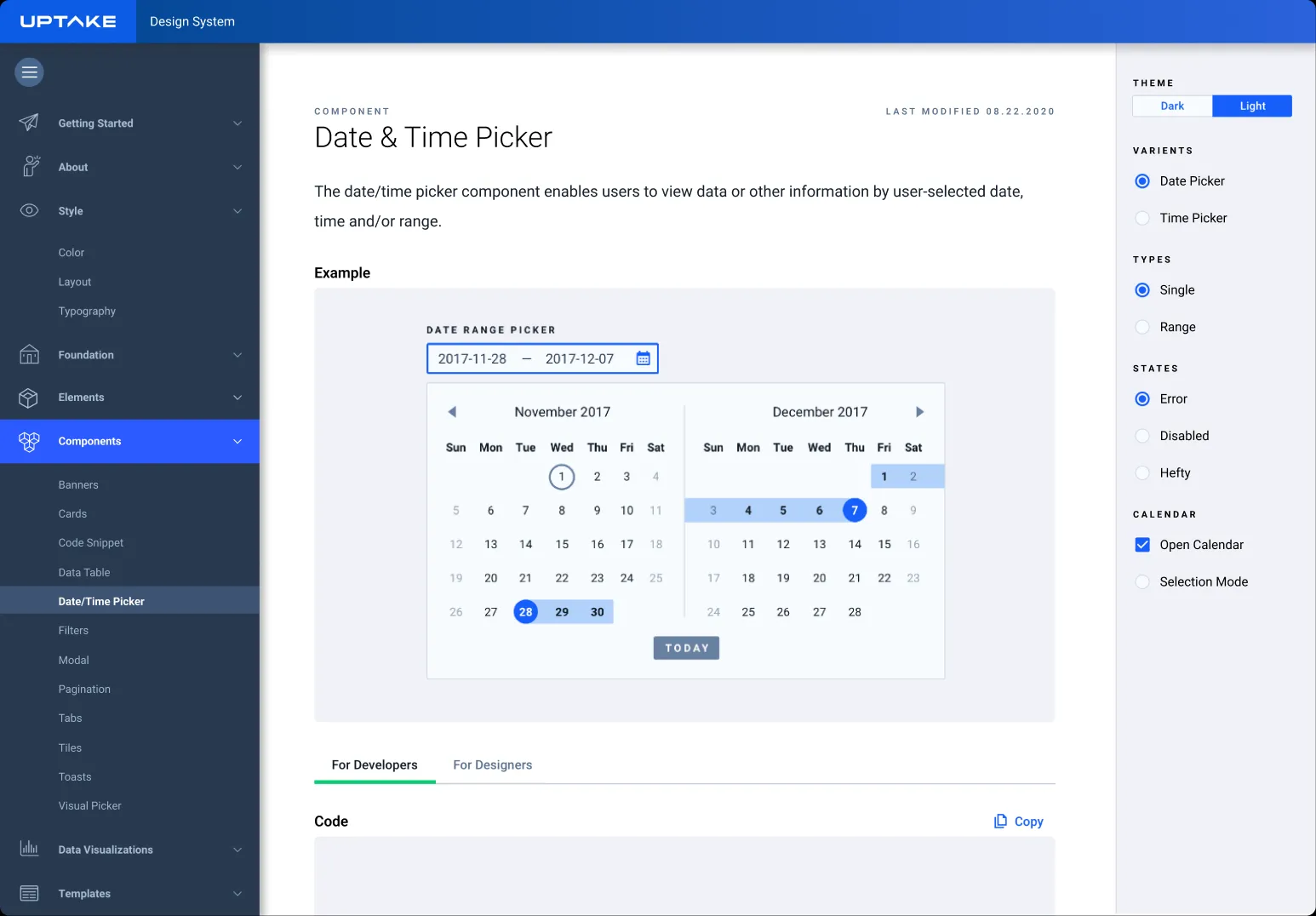
These examples show a small portion of the full system. They highlight the range of work, from the foundations that shaped every product to the complex components and documentation that supported adoption across more than ten platforms.
Foundation
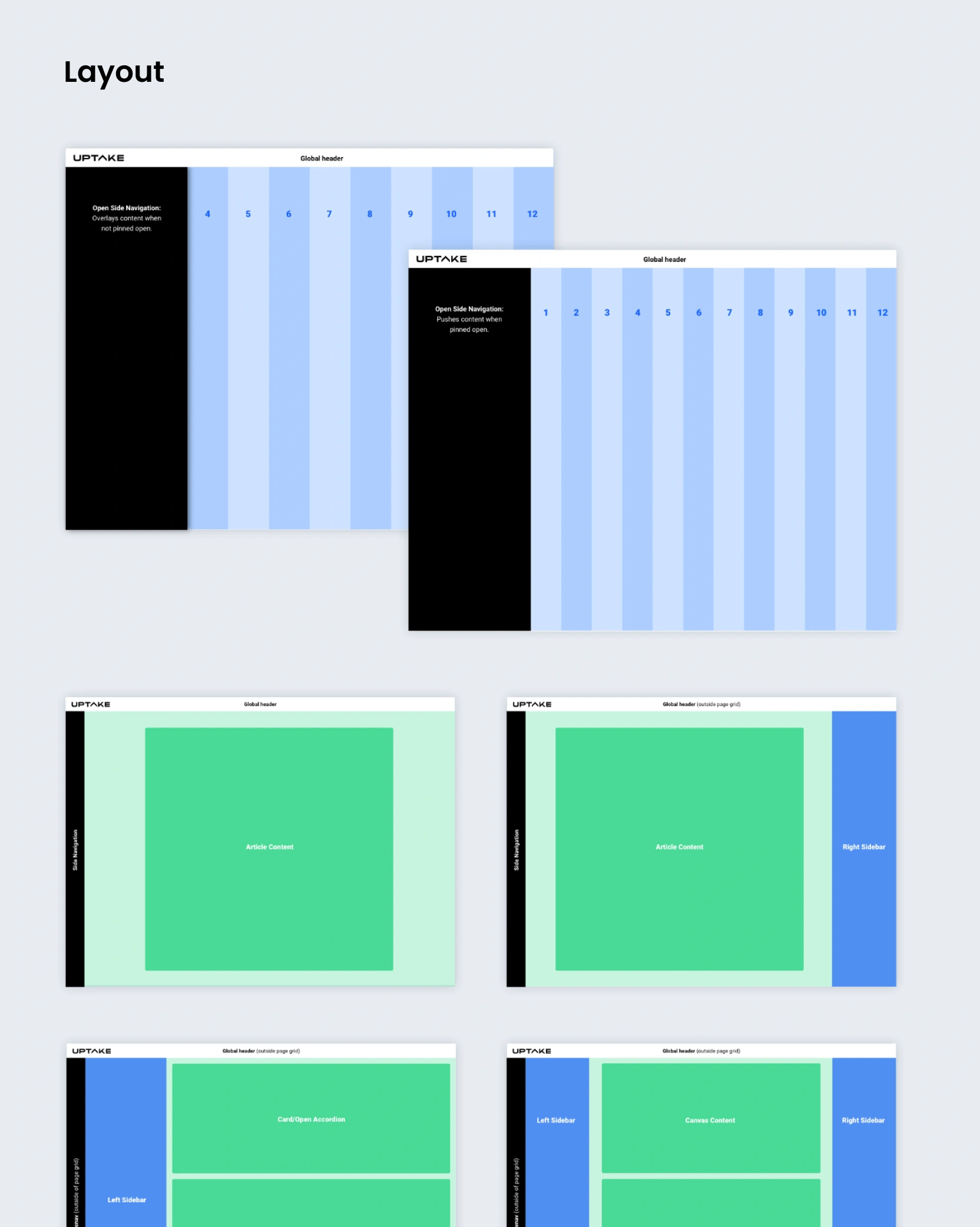
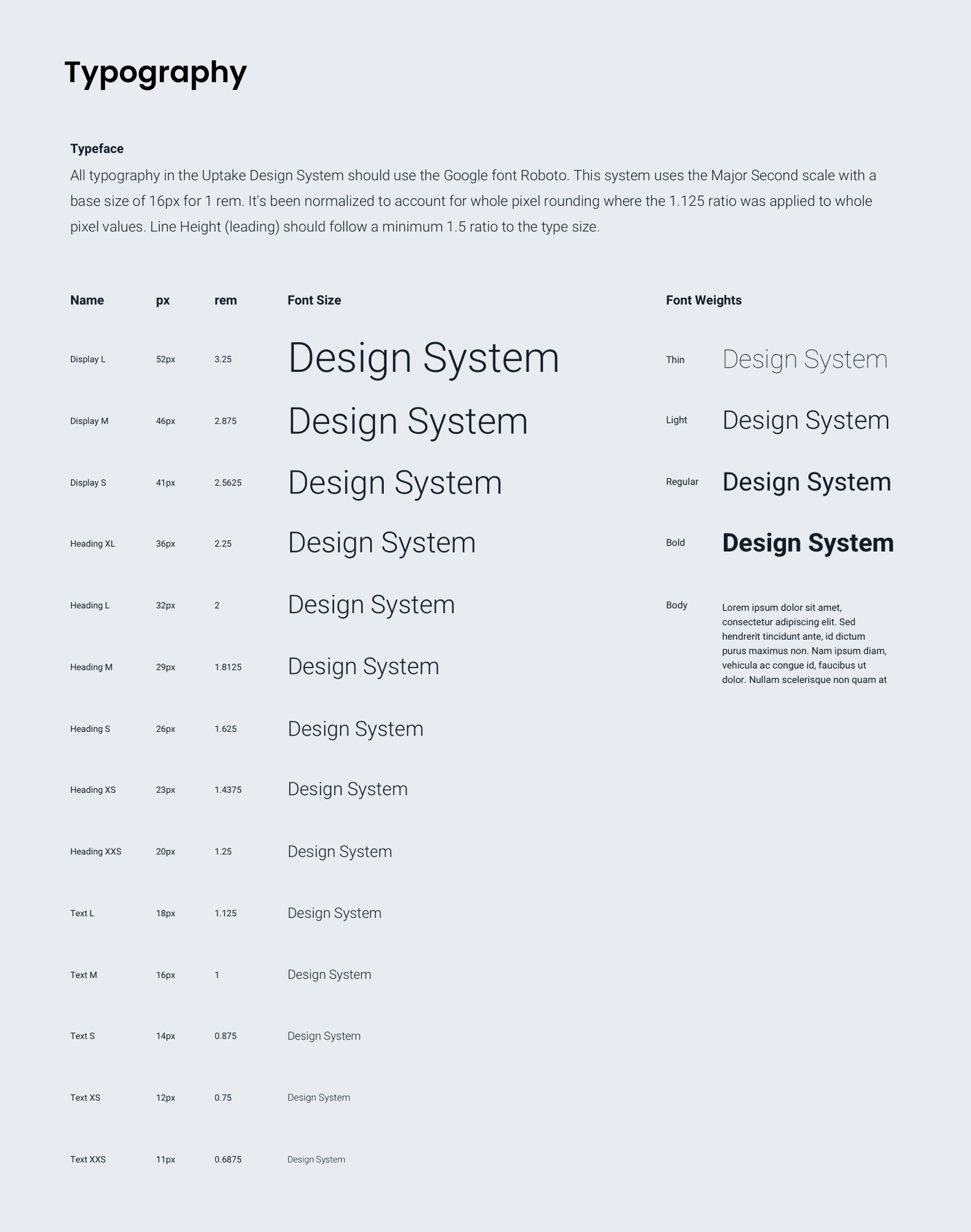
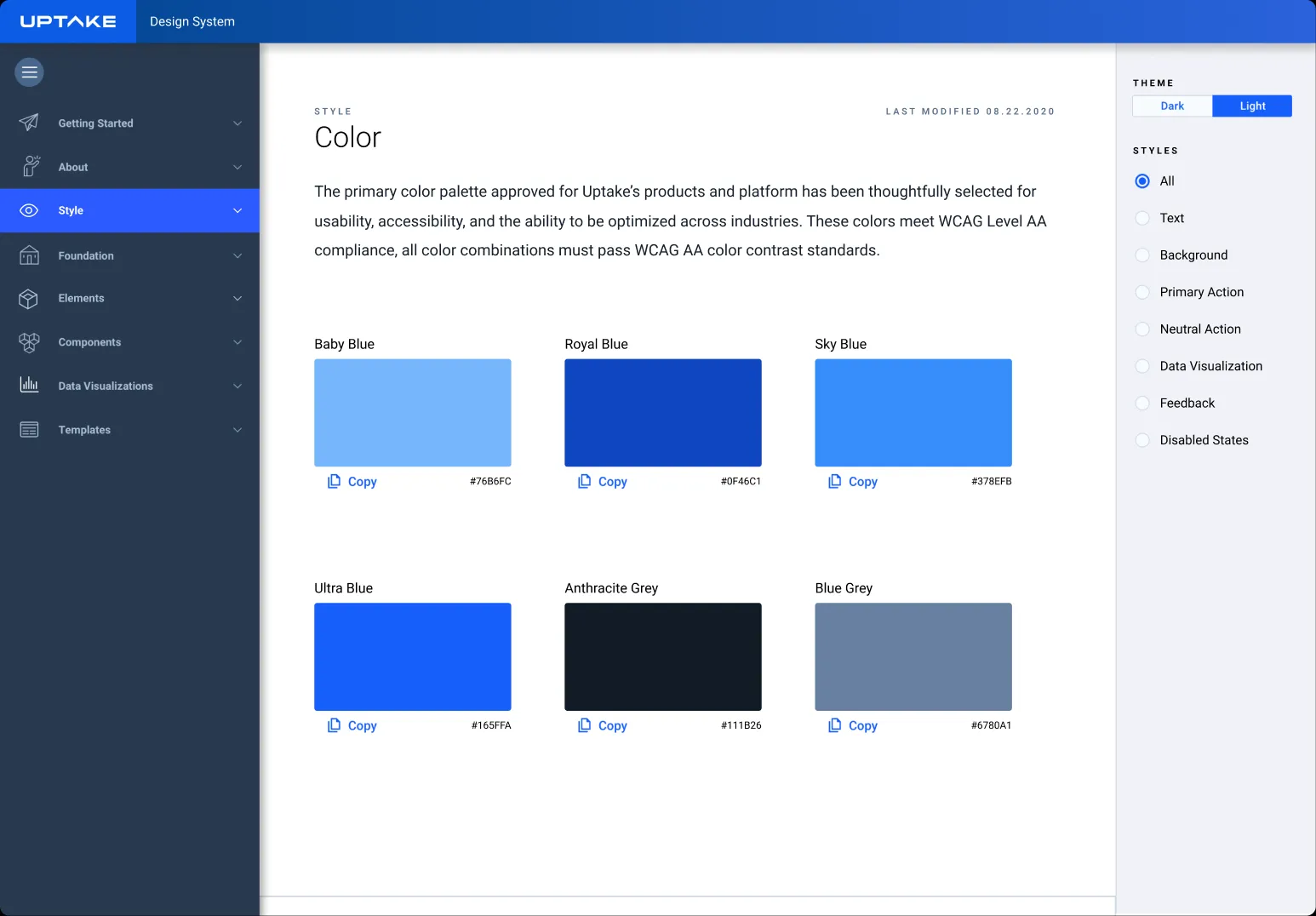
The foundation work established the visual language for every product experience. It included the core elements that shaped typography, layout, spacing, color, and iconography. These pieces created the structure needed for consistent design and predictable engineering.

Core Components
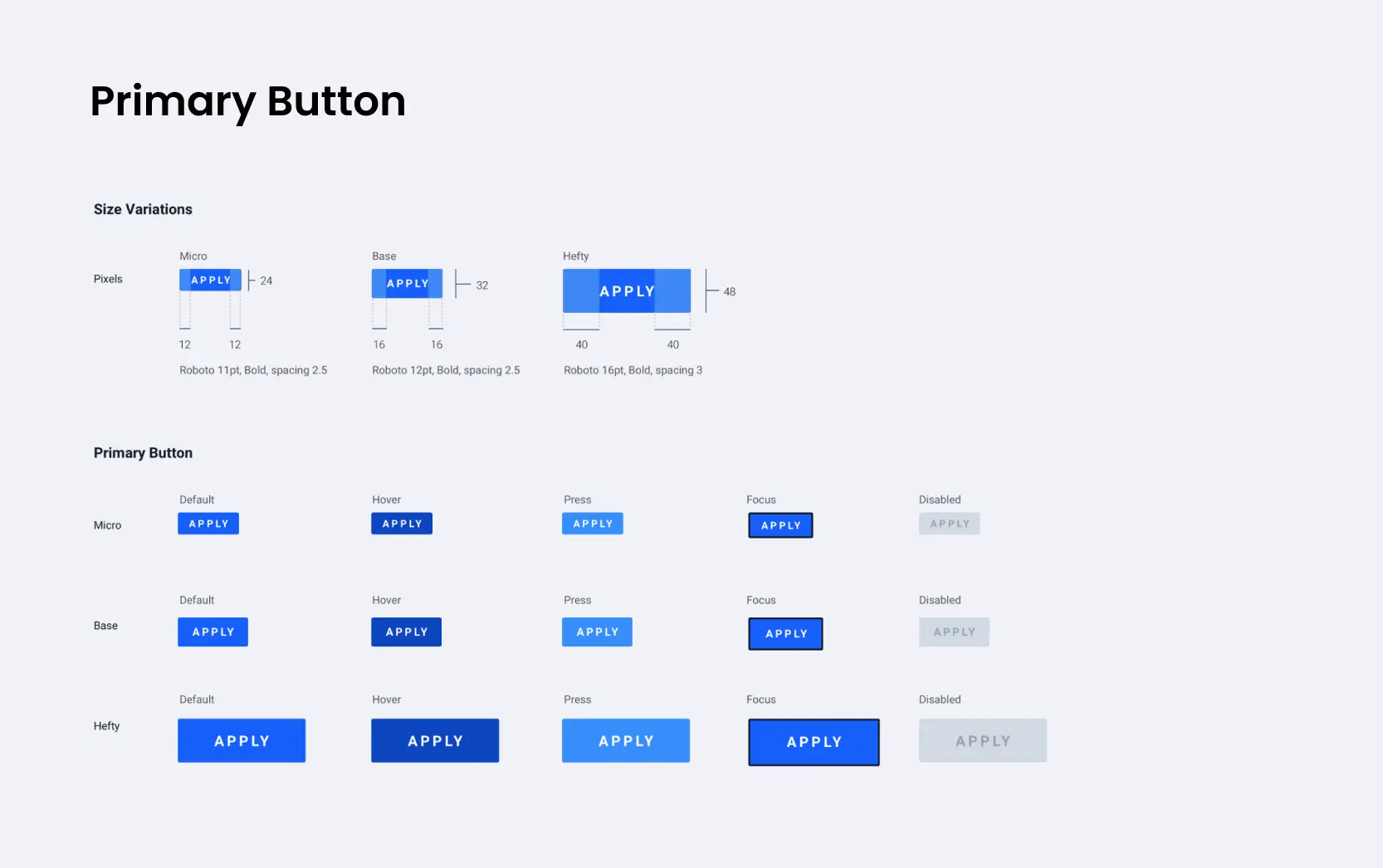
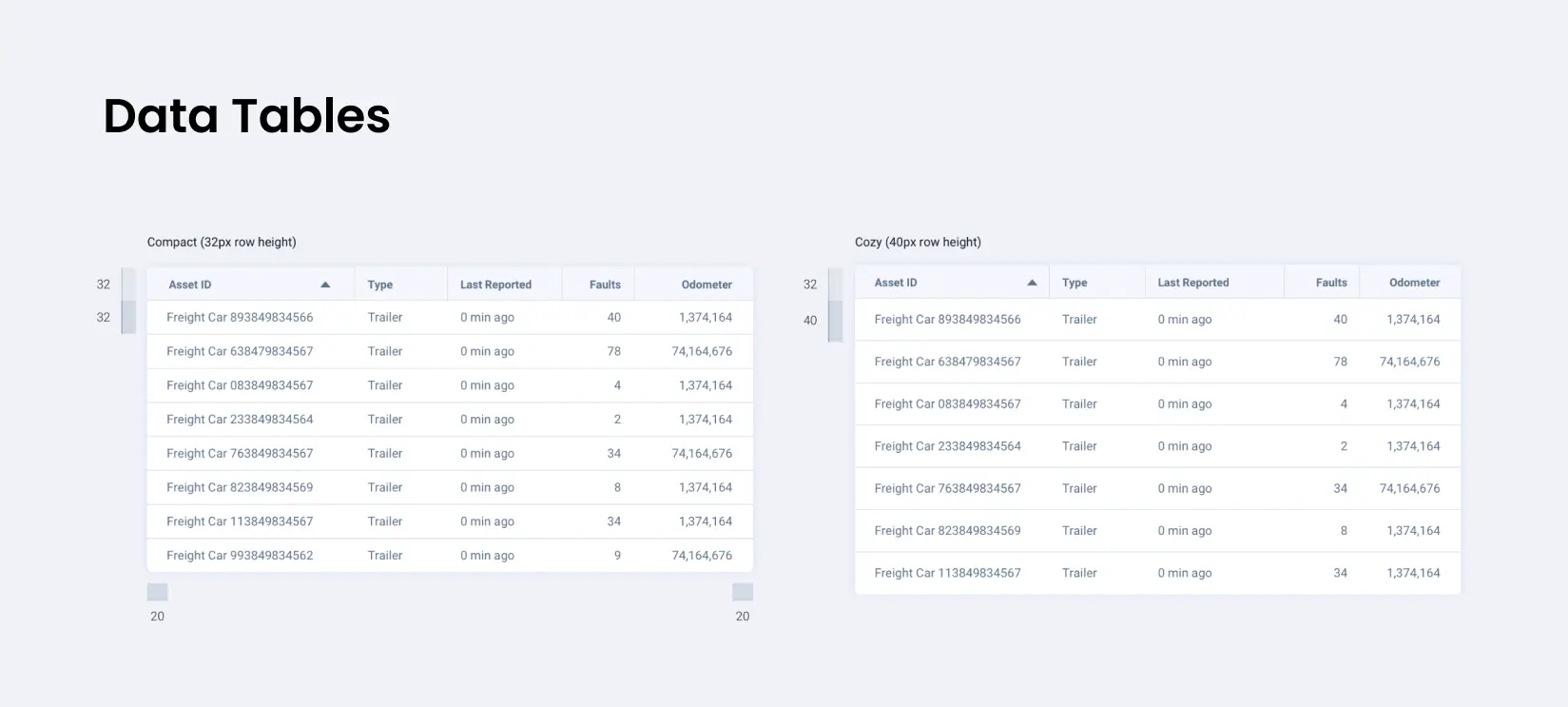
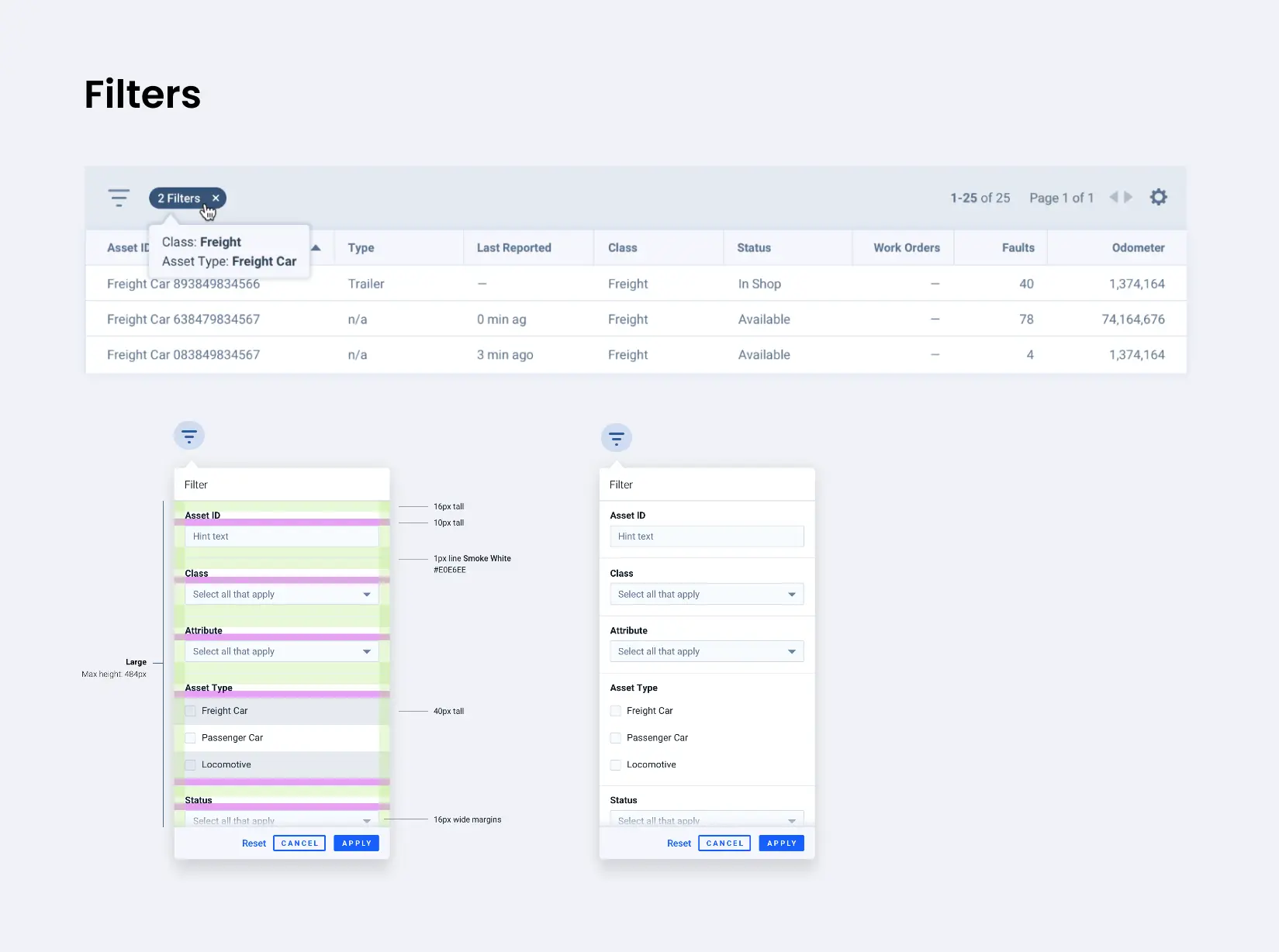
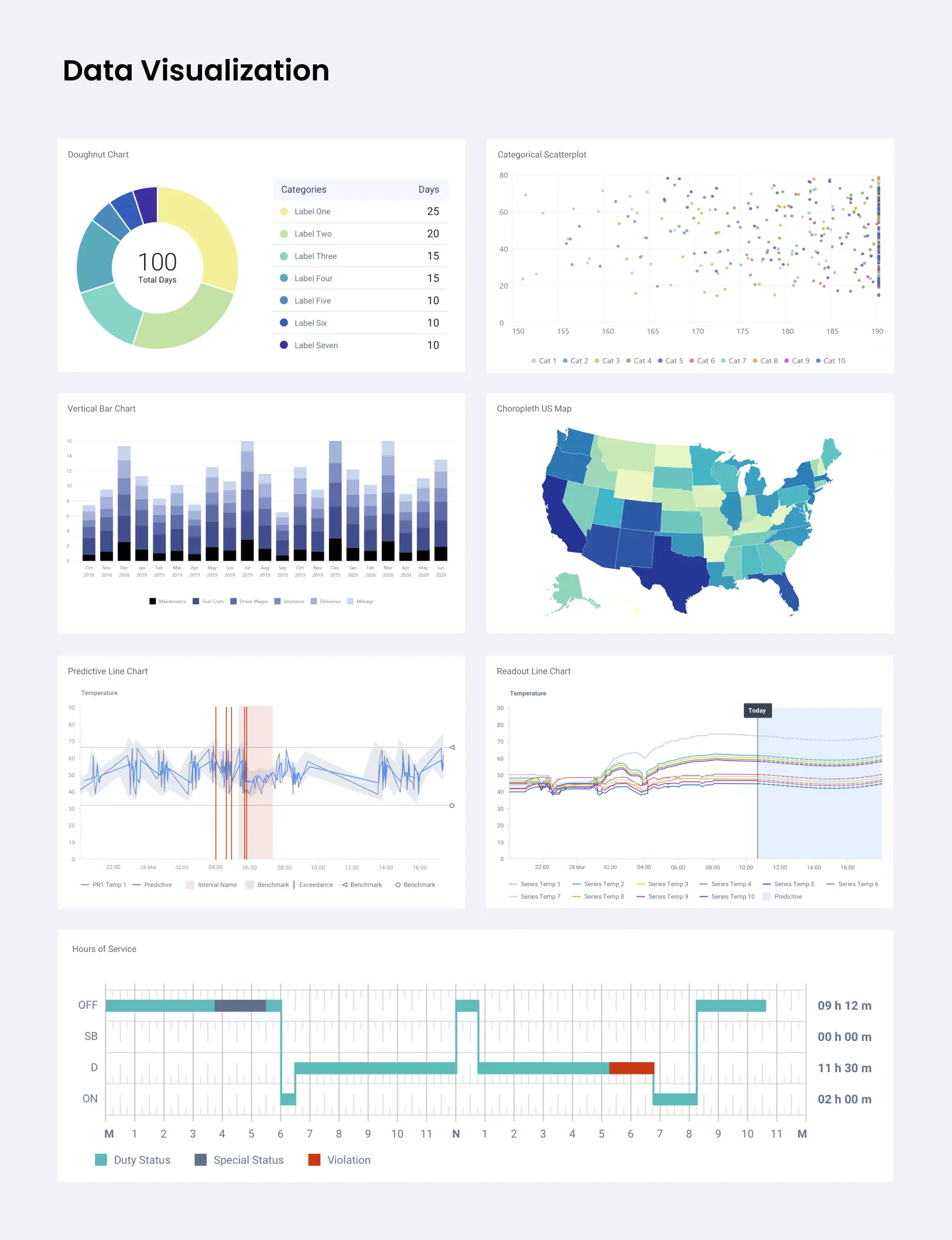
These examples show the components that shaped everyday product workflows. What you see here is the design side of the system: the visual patterns, states, spacing rules, and interaction cues that teams reused across products. The technical specifications and coded guidance were documented separately in the system’s documentation site.
Documentation System
The documentation site made the system practical. It gave teams a clear source of truth with examples, structured guidance, and implementation details.
Reflections & Lessons Learned
The hardest part of a design system is not the design work. It is earning trust. A library only works when teams believe it will make their jobs easier. If it is easier to bypass than to use, it will fail.
Consistency comes from relationships as much as from rules. The biggest wins happened when teams chose to use the shared patterns rather than create their own.
If I were doing this again, I would invest earlier in developer collaboration. The system always improved when design and engineering shaped it together. A strong system is a long‑term commitment to clarity, trust, and shared responsibility.